Kubota Credit Login: Pay and Manage Your Loan
Kubota Credit login guide for kcp.kubotacreditusa.com: sign in with your email, finish the one-time code step, register, reset a password and pay a loan.
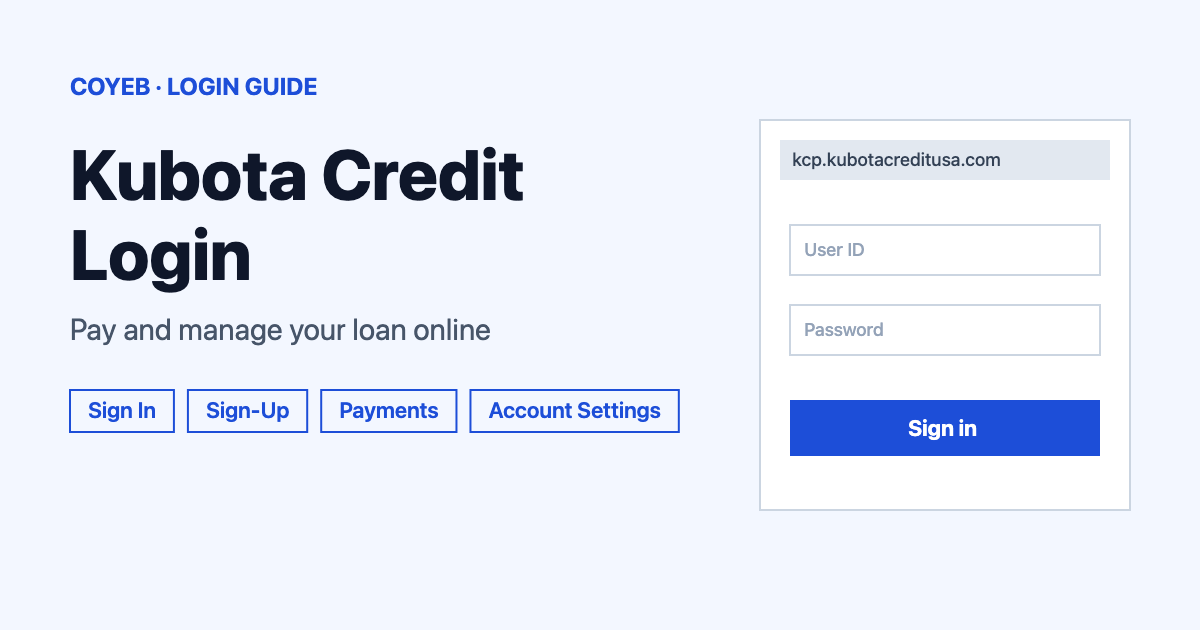
Kubota Credit login starts at kcp.kubotacreditusa.com. Select Sign In at the top right, enter the email address you registered with as your username plus your password, then confirm the one-time code sent to your phone. New customers use the Sign-Up button on the home page first.
Last verified: 18 November 2026
Official address: kcp.kubotacreditusa.com (checked November 2026)
coyeb.com is not affiliated with Kubota Credit Corporation. Never share your password or OTP with anyone.
How to complete your Kubota Credit login
The customer site is called the Kubota Credit Customer site. Its help pages use the short name KCP. Its menu has My Account, Payment Options, Contact Us, FAQs and About.
- Open kcp.kubotacreditusa.com in a browser.
- Select Sign In in the top right corner of the page. This takes you to the sign-in page for the account.
- Enter the email address you used when you registered. That email address is your username, so there is no separate username to remember.
- Enter your password and continue.
- Confirm your identity with the one-time passcode (OTP). It goes to the phone number you gave when you set up multi-factor authentication (MFA).
If you changed your email address after registering, your next sign-in must use the new one.
First-time login and registration
Before you can sign in you need an online account. Select Sign-Up on the home page and have these ready:
- Your email address.
- Your Kubota Credit Corporation (KCC) account number. This is the same number as your contract number. It is printed in the Welcome Package, the Coupon Book or a Billing Notice.
- For a personal account: the last four digits of the primary account holder’s Social Security Number.
- For a commercial or business account: the Tax Identification Number (TIN).
Then follow the steps in order:
- Enter your email address and create a password that meets the password rules shown on the page.
- Enter your Kubota account number.
- Enter the last four digits of the SSN or the business TIN.
- Choose your Email Notifications preference.
- Acknowledge the KCC Conditions of Use. Agreeing to the Terms of Use is required to register.
- Click Create Account.
- Open the email sent to you and use its link to verify your email address.
- Return to KCP and sign in.
Your first sign-in leads to MFA registration. Enter the phone number you want to use for MFA and choose whether the code arrives by text or by voice call. Then enter the 6-digit verification code sent to that phone. After that you land on your account dashboard.
Forgotten password or email address
If you forgot your password, select Forgot Password on the sign-in page and follow the reset steps. If you cannot remember which email address you registered with, remember that it must be the address on the account or the one you updated later. If neither works, the helpline at the end of this guide can help.
To change your email address while you can still sign in:
- Sign in with your current email address.
- Select the Account Settings button at the top right of the My Account page.
- Choose Update Email Address and enter the new email address.
- Select Save. A Verify Your New Email pop-up appears.
- Enter the code sent to the new email address and submit it.
From then on you sign in with the new email address.
Kubota Credit login on a phone
You can try opening the same address, kcp.kubotacreditusa.com, in your phone’s browser. Kubota Credit recommends the latest version of Chrome, Firefox, Edge or Safari and a screen resolution of 1024 x 768. When your phone is also the device that receives the one-time code you can switch between the browser and your messages or calls to read it.
Kubota Credit login not working
Only the lockout below comes from the official help page. The other fixes are general suggestions you can try.
| What you see | What it means | Fix |
|---|---|---|
| Account temporarily locked for 60 minutes | Too many wrong One Time Passcode (OTP) attempts were entered. | Wait 60 minutes. Then go back to the Kubota Credit Customer site and sign in with your username and password. Request a new OTP and enter it. |
| Email and password are not accepted | The email address must be the one used at registration or the one you updated later. | Try the other email address you may have used. You can also try Forgot Password on the sign-in page. |
| Forgotten password | The password was created during registration. | Select Forgot Password on the sign-in page. |
| No verification email | The link that confirms your email address has not arrived. | You can try checking the spam or junk folder and confirm the email address was typed correctly. |
| The 6-digit code does not arrive | The code goes to the phone number given for MFA. | You can try the voice option if text messages are not arriving. Otherwise call (800) 624-7082. |
After you log in
Make a payment
You can make one-time payments or set up recurring payments from a checking or savings account through the secure online portal. Sign in first and use the Payment Options link in the site menu to see how each option works.
Payments made by ACH post on the effective date but can take 1 to 3 business days to clear the bank account. If a payment is returned, non-sufficient funds (NSF) fees may be assessed.
You can also pay by phone at (800) 624-7082. The automated line works 24 hours a day and accepts a checking account or savings account or a debit card. The debit card limit is $1,500.00 and fees may apply.
Check your payment history
- Sign in and select your account number.
- On the My Account page select the Payment History tab.
- Enter the From and To dates.
Update recurring ACH details
Changes to recurring direct pay details use the Direct Pay Enrollment Form. It is a PDF found under Recurring Auto Pay Plan on the Payment Options page. Send the completed form in one of these ways:
- Mail: Kubota Credit Corporation, U.S.A., Attn: Loan Admin, P.O. Box 2046, Grapevine, TX 76099.
- Fax: (817) 532-3667.
- Email: ktc_g.directpay@kubota.com.
Other account requests
For a coupon book call (800) 624-7082 and keep your account number ready. It is mailed typically 7 to 10 business days after the request is processed. For a deferment or an extension call the same number. The automated line can also give a payoff quote and details of your last payment and interest paid.
Stay safe when you sign in
The only official address in this guide is kcp.kubotacreditusa.com. The sign-in page opens from the Sign In link on that site. Check the address bar before you type anything. Search results can include pages that only pretend to be guides. Keep your password and OTP private. If you think you entered details on a wrong site, you can try changing your password at the official address and call the number below.
Kubota Credit helpline
- Phone: (800) 624-7082. The automated line works 24 hours a day.
- KCC agent: Monday to Friday 7:30am to 7:30pm CST.
- KTAC Insurance: Monday to Friday 8:00am to 5:00pm CST.
Numbers and hours checked November 2026. For the full list of help topics visit kcp.kubotacreditusa.com/faqs. If you also manage a bank loan online, see the KeyBank login guide.