My Ground Biz Account Login: MyGroundBiz and MyBizAccount
Find the right my ground biz account login: MyBizAccount and MyGroundBiz FedEx ID sign-in steps, password rules, the reset phone line and fixes.
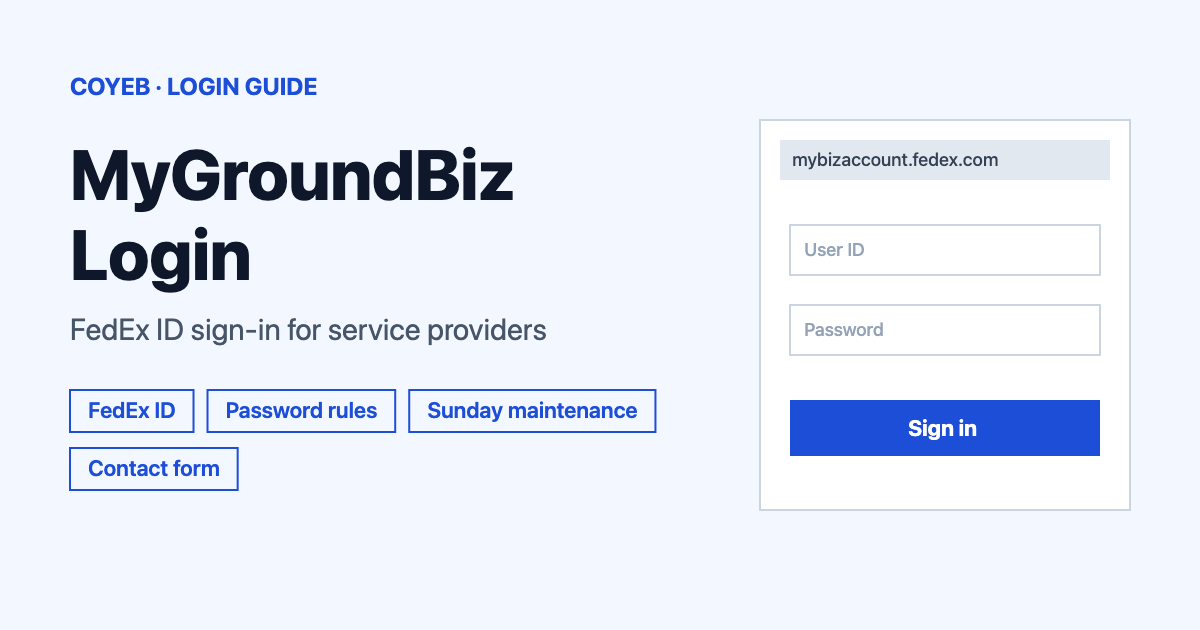
To open your my ground biz account, go to mybizaccount.fedex.com and use the Sign In button with your FedEx ID and password. The news site mygroundbiz.com is also official and has its own FedEx ID sign-in page. If the password no longer works, the official page says to call 1.855.639.7793.
Last verified: 18 November 2026
The two official addresses for a my ground biz account
Two FedEx pages are live and both are official. mybizaccount.fedex.com is the MyBizAccount portal, titled “MBA Independent Contractor Portal”. mygroundbiz.com is the MyGroundBiz site for news and general information. Neither one redirects to the other. If you searched for “my biz account” or “mybizaccount login”, the first address is the one you want for agreement and settlement information.
Official links (checked November 2026)
- MyBizAccount: mybizaccount.fedex.com
- MyGroundBiz: mygroundbiz.com
coyeb.com is not affiliated with FedEx. Never share your password or OTP with anyone.
What MyBizAccount and MyGroundBiz are used for
MyBizAccount is described on its own page as an interactive site where authorized personnel of a service provider can view and manage information unique to that service provider. That includes Agreement terms, Settlement/Charge statements, reports and forms. The MyGroundBiz page works as a hub. It shows four tiles: MyBizAccount, BuildAGroundBiz, SPOTlight and Service Provider Reference Center. The MyBizAccount page itself points readers to MyGroundBiz.com for news and general information.
How to log in to my ground biz account
The login uses a FedEx ID. Only the authorized personnel of a service provider are meant to sign in. The footer says access is restricted to current and potential FedEx contractors.
MyBizAccount (mybizaccount.fedex.com)
- Open mybizaccount.fedex.com in your browser. The page opens with the heading “Welcome to MyBizAccount”.
- Look at the right side of the page for the panel headed Remote Access Logon.
- Click the Sign In button. The page says this is where you enter your FedEx ID and password.
- Enter your FedEx ID and password when you are asked for them.
MyGroundBiz (mygroundbiz.com)
- Open mygroundbiz.com. The login page opens at mygroundbiz.com/login.
- Under the heading Sign In you will see the line “Enter your FedEx ID number to sign in.”
- Type your FedEx ID into the field marked FedEx ID…
- Press the LOG IN button.
If you use the mygroundbiz account login page and you need agreement or settlement details afterwards, the MyBizAccount tile on that site leads to mybizaccount.fedex.com.
First-time login
The MyBizAccount page states that on a first login the user will be prompted to change the password. Choose a new one that follows the rules below so it is accepted the first time.
Password rules and the 90-day change
These rules come from the MyBizAccount page:
- The password must be between 12 and 32 characters long.
- It must contain at least one number and one special character from this list: # * & ! ?
- Passwords are case-sensitive.
- Passwords must be changed every 90 days.
If a password that you are sure about is rejected, check that Caps Lock is off and that the capital letters match exactly.
Forgot your password
The official page says passwords can be reset by calling 1.855.NEW.PSWD (1.855.639.7793). The page does not list opening hours for this line. If your password stopped working after the 90-day change date, you can try the same line.
If you cannot get in at all, the MyGroundBiz contact form has a field labeled “User Contractor ID” with the hint “Please enter your FedEx ID.” The “Inquiry Area” list includes “MGB – Technical Login Issue” and “MBA – Technical Login Issue”. Pick the one that matches the site you are trying to use.
Login on mobile
Neither official page links to an app store. You can try opening mybizaccount.fedex.com or mygroundbiz.com in your phone browser and type the address yourself instead of using a link from a message. The same FedEx ID applies.
Session limits and weekly maintenance
After 18 minutes of inactivity the site logs the user out automatically if there is no response to the on-screen prompt. Answer the prompt when it appears if you are still working.
The MyBizAccount page also announces weekly maintenance every Sunday from 12 a.m. ET until 6 a.m. ET. The system may not be available during this period. A failed login early on a Sunday morning in the US may simply be this window.
My ground biz account login not working
No error message texts are published on either official page. The column below therefore shows what you may see. The fixes are general suggestions except where the official page says otherwise.
| What you see | What it means | Fix |
|---|---|---|
| The page will not load or the sign-in does not respond on a Sunday morning | The weekly maintenance runs Sunday 12 a.m. to 6 a.m. ET and the system may be unavailable. | Wait until after 6 a.m. ET and try again. |
| The sign-in window never opens | A popup blocker may be stopping it. The official page lists this as a cause. | Add *.fedex.com to the popup blocker allowed sites. The page links instructions for Edge and Firefox as well as Chrome and Safari. |
| The page behaves oddly or shows old content | Stored browser data can interfere. | Clear your browser cache as the official page advises and then try again. |
| Your password is not accepted | It may have expired after 90 days or been typed with the wrong capital letters. | Check the case and the 12 to 32 character rule. If it still fails call 1.855.639.7793 to reset it. |
| You cannot get access at all | Your FedEx ID may not be set up for this site or access may have been blocked. The footer says FedEx may block or suspend any user’s access at any time. | Use the contact form at mygroundbiz.com and choose the matching “Technical Login Issue” option. |
After you log in
The official page names these main uses for MyBizAccount. The steps inside the portal were not verified, so only the purpose is given here.
- Agreement terms. View the terms that apply to your service provider.
- Settlement/Charge statements. Open the statements for your service provider.
- Reports and forms. Find the reports and forms the portal provides.
The MyGroundBiz page also lists BuildAGroundBiz for contracting opportunities and SPOTlight for near-real-time operations results and trends. It lists the Service Provider Reference Center as well. These are separate tiles and may need their own sign-in.
Stay safe
Check the address bar before you type anything. The only addresses shown on the official pages are mybizaccount.fedex.com and mygroundbiz.com. The page warns that unauthorized access is prohibited. Copies with names like “mygroundbizaccount” on other sites are not official. No fake sites have been officially reported on these pages. If you receive a suspicious message that claims to be about your account you can forward it to FedEx through fedex.com. Never give your password or OTP to anyone.
The MyBizAccount page also explains that references to FedEx mean FedEx Ground Package System, Inc. or FedEx Ground, Ltd. before 1 June 2024 and Federal Express Corporation or FedEx Ground, Ltd. on and after 1 June 2024.
Helpline
- Password reset: 1.855.NEW.PSWD (1.855.639.7793) from the MyBizAccount page, checked November 2026. Hours are not published.
- Login help for either site: the contact form at mygroundbiz.com. No phone number or email is listed on that page.
- Maintenance window: Sunday 12 a.m. to 6 a.m. ET.