Randstad Login: My Randstad Candidate Sign-In (India)
Randstad login for India: sign in to My Randstad at randstad.in with email and password, register, get a verification code to reset it and spot scams.
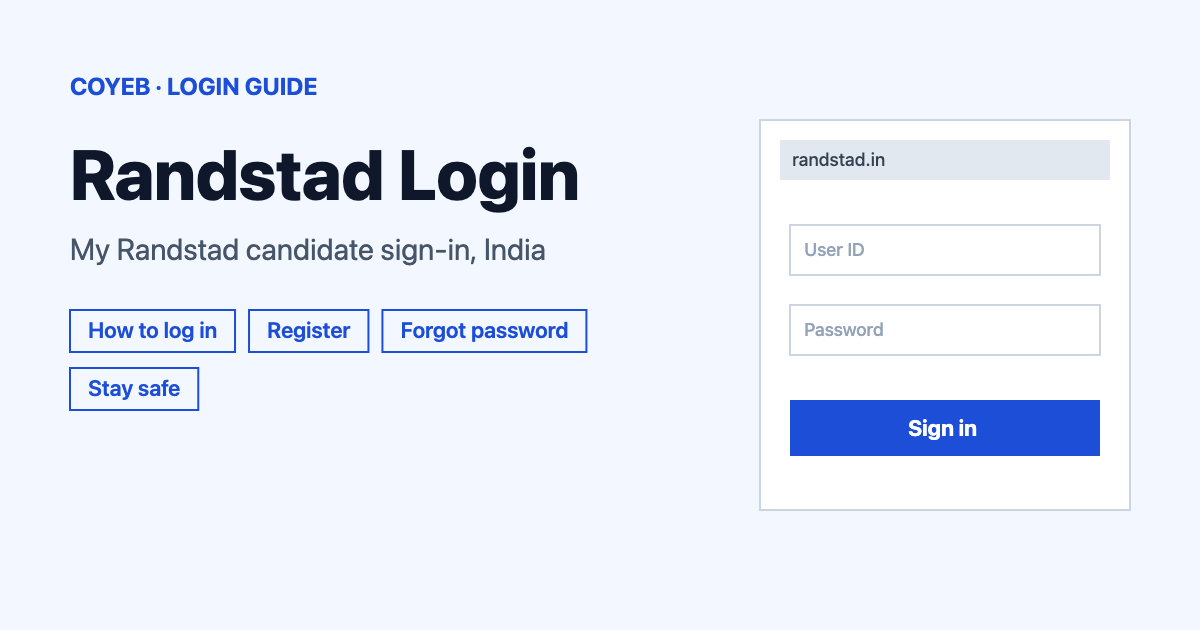
Open randstad.in/my-randstad/login/ for the Randstad login. Type your registered address in email, type your password and press login. The catch: the sign-in uses an email address, not a username. Randstad says that email must already be verified. Forgot it? Press forgot password to get a verification code.
Last verified: 18 November 2026
Official address (checked November 2026): https://www.randstad.in/my-randstad/login/
coyeb.com is not affiliated with Randstad. Never share your password or OTP with anyone.
What you will see on the Randstad login page
The page is titled “login | my randstad” and shows the fields and links below.
- email and password fields
- A Remember me for personal devices only tick box
- A forgot password link and a login button
- No account? with the link Register as new user (also a register for free link)
How to do the Randstad login for My Randstad
My Randstad is the job seeker account on Randstad India. It uses your email address, not a username.
- Go to randstad.in/my-randstad/login/.
- Type your registered address in the email field.
- Type your password in the password field.
- Tick Remember me for personal devices only only if the phone or computer is yours.
- Press login.
You can also reach it from the Randstad India homepage with the log in to my randstad button in the header. The “my randstad” entry in the header menu points to a separate sign-in page on randstadjobs.ceipal.com. This guide covers only the randstad.in login, so use it unless Randstad has told you to use that other page.
Verify your email before you log in
To access your job seeker account, Randstad says you must already have verified your email address with Randstad.
First-time registration
Registration is free. On the register page (headed “welcome to my randstad”, step 1 of 2, section “fill in your details”) follow these steps.
- Fill in email, password, retype password, first name and last name.
- Make the password at least 8 characters with 1 small letter, 1 capital letter and 1 number.
- Tick I accept the Terms and conditions and Privacy policy. This box is required.
- Press create account.
Two more tick boxes are about marketing: emails from Randstad (you can unsubscribe at any time) and use of your data for social media marketing. After registering, Randstad says you can submit your latest CV to your My Randstad account.
Forgot password
On the login screen press forgot password. This opens randstad.in/my-randstad/forgot-password/, headed “forgot your password?” with the sub-heading “request verification code”.
- Type your registered address in the email field.
- Press send verification code.
- Randstad sends a verification code to that email address to reset your password. Check your inbox and spam folder if it does not arrive.
Login on mobile
The same randstad.in page works in a phone browser such as Chrome or Safari. Type the address yourself instead of tapping a link from a message. Only tick the remember box on your own phone.
Randstad login not working
| What you see | What it means | Fix |
|---|---|---|
| “There was a problem handling your request. Please log in or try again later.” | The site could not complete the request, often a temporary fault. | Wait a few minutes, reload randstad.in and log in again. |
| Password not accepted | A typing slip or the wrong account email. | Check the email spelling and caps lock, then use forgot password to get a verification code. |
| Account will not open | The email may not be verified yet. | Verify your email address with Randstad first. |
| Page will not load | Browser or connection trouble. | Try another browser or network, or clear cookies. |
Only the first message is quoted from Randstad’s site. The other fixes are general suggestions.
Employee and payroll questions
Randstad India’s website does not show a separate employee or payroll login link. For PF, full and final settlement, appointment letters or relieving letters, write to flexicare@randstad.in with your name, deputee ID, phone number and query. The team is available Monday to Friday, 9:30 am to 6:30 pm (checked November 2026).
After you log in
Randstad says a My Randstad account lets you apply to jobs faster and get better matching jobs. It also lists these uses.
- Save jobs.
- Track your applications.
- Get job alerts.
- Update your resume or profile by logging in.
Stay safe
Check that the address says randstad.in before typing your password. Randstad says it does not charge candidates any fee at any stage of recruitment. These are warning signs of a job scam.
- Requests for money for medical checks, work passes or interviews.
- Offers from personal or no-reply email addresses instead of a Randstad domain.
- Jobs you never applied for.
- Requests for your mobile number or ID photo over chat.
- Contact only through social media or messaging apps. Randstad says its consultants do not use messaging platforms such as Telegram, WhatsApp or Facebook Messenger as the first point of contact.
The only official social media accounts are Randstad India’s LinkedIn, Facebook, Instagram, X (Twitter) and YouTube pages. If you were cheated, report it to the local police and keep the sender’s details, a copy of the ad, your chat history and any payment records. To check a suspicious Randstad job ad, email speakup.lra@randstad.in with a photo of it. Read the full job scam notice for all the warning signs.
Contact and helpline
- Phone: no helpline number is published on randstad.in (checked November 2026).
- Email: flexicare@randstad.in for PF, full and final settlement, appointment or relieving letters and other queries. Include your name, deputee ID, phone number and query (checked November 2026).
- Hours: Monday to Friday, 9:30 am to 6:30 pm (checked November 2026).
- Fake job reports: speakup.lra@randstad.in (checked November 2026).
- Help page: Randstad India contact page (checked November 2026).
- Registered office: Randstad House, Old No. 5 & 5A, New No. 9, Pycrofts Garden Road, Nungambakkam, Chennai, TN – 600 006 (checked November 2026).