HSA Bank Login: Member Portal and Mobile App Access
HSA Bank login steps for members at account.hsabank.com: first-time set up, forgot username or password, the mobile app and the helpline number.
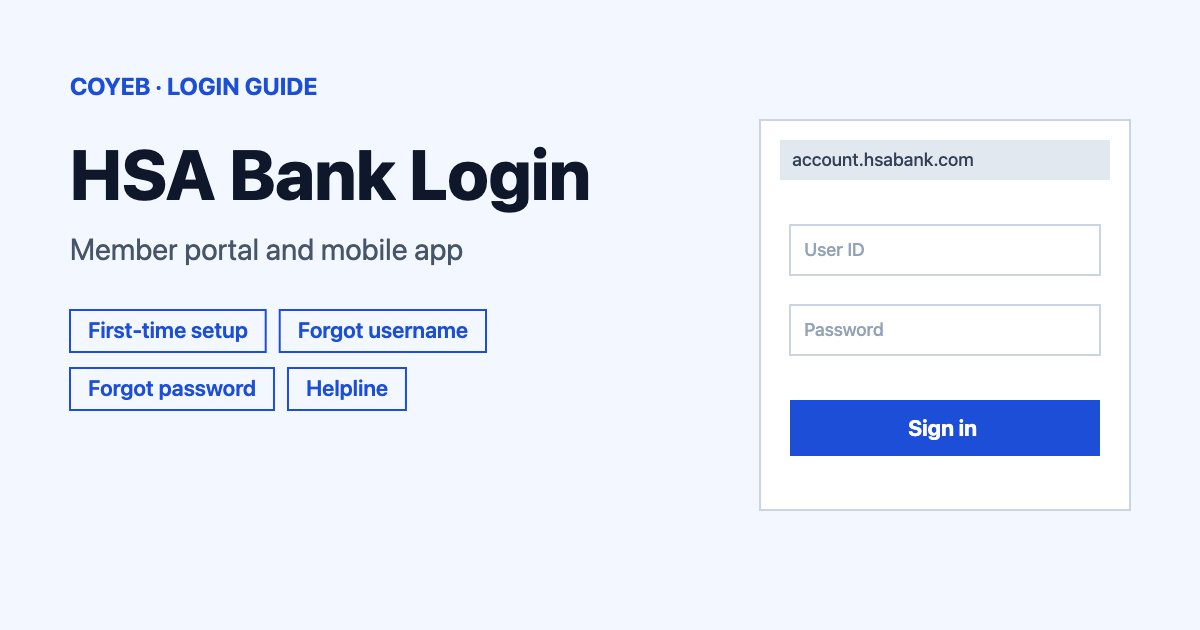
The HSA Bank login for members is at account.hsabank.com. Type your username in the Username box and select Next. First time? Choose New user? Set up account. and keep your date of birth, ZIP code and last 4 digits of SSN ready. The catch: they must match what your employer gave HSA Bank when it enrolled you.
Last verified: 17 November 2026
Official member login: account.hsabank.com (checked November 2026)
coyeb.com is not affiliated with HSA Bank. Never share your password or OTP with anyone.
What you will see on the HSA Bank login page
HSA Bank has separate areas for members, employers and partners. This guide covers the member login behind the Login link on hsabank.com. Searches such as “myhsa login” or “hsabank login” lead to the same member page. Employers sign in at a different address (employer.hsabank.com/login).
The member page is headed Sign in and has these items:
- A Username box
- A Remember username tick box
- A Next button
- Links: Forgot password?, Forgot username? and New user? Set up account.
- A Need help logging in? Get help. link
How to do the HSA Bank login step by step
- Go to account.hsabank.com.
- Type your username in the Username box. On your own device you can tick Remember username so you do not have to type it next time.
- Select Next.
- Follow the next screen to enter your password and finish signing in.
After you sign in you may be asked to accept the Online Services Agreement and the HSA Custodial Agreement (if you have an HSA). HSA Bank says you cannot open your online account until you accept them. Your debit card and scheduled contributions keep working in the meantime.
First-time HSA Bank login and account set up
If you have never signed in, you must create a username and password first. This also applies if you first reached your account through an insurance provider or another employer benefits site. The same steps create a login you can use directly at HSA Bank.
The login page shows the link as New user? Set up account. while the help pages call it New user? Create login. It is the same link.
The set-up screen asks for your Date of birth, ZIP code and Last 4 digits of SSN. These details must match what your employer used to enroll you in your benefit account. If you are unsure what your employer gave HSA Bank, contact your HR department.
- On the login page select New user? Set up account.
- Fill in the fields and select Next.
- If you have more than one account, choose the one you want to log in to.
- Select Send Verification Code. The information on file decides how you can get the code: email, text, voice call or data entry. Select Need Another Way To Log In? to see your options.
- Enter the code and select Verify.
- Verify your email address and select Next. You see this step a second time if you used text, voice call or data entry for the code or if you changed your email.
- Fill in the fields to create your username and password, then select Submit.
If you are opening a new account, HSA Bank says online sign up takes less than 10 minutes.
Forgot your HSA Bank username or password
You need an email address on file to reset your username or password. If you need both, get your username first. HSA Bank treats a locked-out account the same way: use the steps below.
Forgot username
- On the login page select Forgot username?
- On the Let’s find your account screen fill in Date of birth, ZIP code and Last 4 digits of SSN, then select Next.
- Check your email. HSA Bank sends your username or a verification code to the email address on file.
Forgot password
- Select Forgot password? and enter your username in the Username box.
- Select Request Temporary Password. A temporary password arrives by email.
- Go back to the login page and enter your username and the temporary password, then select Sign in.
- Select Send me the code. A second email brings a code. Enter it and select Verify.
- Fill in the fields and select Change Password.
If no email arrives, call the number on the back of your debit card. If you do not have a debit card, call 800-357-6246.
Change your email address or phone number
Log in and go to Settings, then My Profile and select Edit. You can change your address, phone number, email and marital status. If your contact information is locked, update it with your employer or insurance provider. It carries over to your HSA Bank account but can take a few weeks to show.
HSA Bank login on your phone
The HSA Bank app for iPhone and Android gives 24/7 access. You can check your balance, view activity, enter and track expenses, make a payment and file a claim.
- iPhone: HSA Bank on the App Store
- Android: HSA Bank on Google Play
The app needs Android 13 or higher or iOS 18.0 or higher (iPadOS 18.0 or higher on iPad). You can also open account.hsabank.com in your phone’s browser and sign in the same way as on a computer. HSA Bank supports the current versions of Chrome, Firefox, Microsoft Edge and Safari and asks you to enable cookies.
HSA Bank login not working
HSA Bank does not publish exact error messages for the login page. The fixes below are general suggestions based on the official steps.
| What you see | What it means | Fix |
|---|---|---|
| A message that the app does not work without JavaScript | Your browser has JavaScript turned off. | Turn JavaScript on and reload account.hsabank.com. |
| The page loads badly or features are missing | Your browser or phone may be too old. | Update to the current version of Chrome, Firefox, Microsoft Edge or Safari and enable cookies. |
| You do not remember your username | You need it before you can reset your password. | Select Forgot username? and check your email. |
| No temporary password or code arrives | The email may not be on file with HSA Bank. | Call the number on the back of your debit card or 800-357-6246. |
| You cannot get a verification code by email | Another delivery method may be available. | Select Need Another Way To Log In? and pick text, voice call or data entry. |
| Set-up details are not accepted | Your date of birth, ZIP code or last 4 digits of SSN may differ from what your employer gave HSA Bank. | Ask your HR department what was provided. |
What you can do after you log in
Check your balance
Your balance is on the Summary page.
Reimburse yourself or pay a provider
- Go to Manage Expenses.
- Select Add Expense/Pay Provider and enter the expense details.
- Choose Reimburse myself and select Submit.
Make a contribution or link a bank account
- For an online contribution go to Contributions and select Make Contribution.
- To add a personal bank account go to Settings, then Linked Accounts, then Add Bank Account. If it shows as pending, select Activate on the Linked Accounts page. Only personal checking or savings accounts can be linked.
Order a replacement debit card
Go to Settings, then Debit Cards, then Manage Account and choose Order Replacement. Review the details and select Submit. This cancels your current card. HSA Bank says the new card arrives within 10 to 14 days. If your card is lost or stolen, call 800-357-6246 right away.
Account summaries are under Resources, then Account Summaries.
Stay safe when you sign in
Before you type anything, check that the address is account.hsabank.com or that you came from hsabank.com. HSA Bank’s security page also names myaccounts.hsabank.com for members, while its help pages send members to account.hsabank.com.
- Never reveal your username or password to anyone.
- Change your password from time to time.
- Do not leave your computer unattended while you are logged in.
- Review your statements and summaries regularly and report unauthorized activity as soon as possible.
HSA Bank says it will never contact you to ask for your private or login information. Scammers may use calls, texts, emails or mailed documents. Do not click links in messages you did not expect. If you are unsure, call the number on the back of your Benefits card straight away.
HSA Bank helpline
- Client Assistance Center (members): 800-357-6246 or 414-978-5294, available 24/7 with hours subject to change during holidays (checked November 2026)
- Spanish: 866-357-6232 (checked November 2026)
- Email: askus@hsabank.com (checked November 2026)
- Lost or stolen debit card on holidays: 800-523-4175 (checked November 2026)
- Business Relations (employers, agents and partners): 866-357-5232 or 414-978-5282, Monday to Friday 7am to 7pm CT, email businessrelations@hsabank.com (checked November 2026)
- Help page: Member website login help (checked November 2026)
HSA Bank is a division of Santander Bank, N.A., Member FDIC and serves as custodian for Health Savings Accounts established at HSA Bank.