Express Scripts Login: Member Portal and Prescriptions
Express scripts login steps for express-scripts.com: username, password, email code, TRICARE page, registering, reset help, the app and phone numbers.
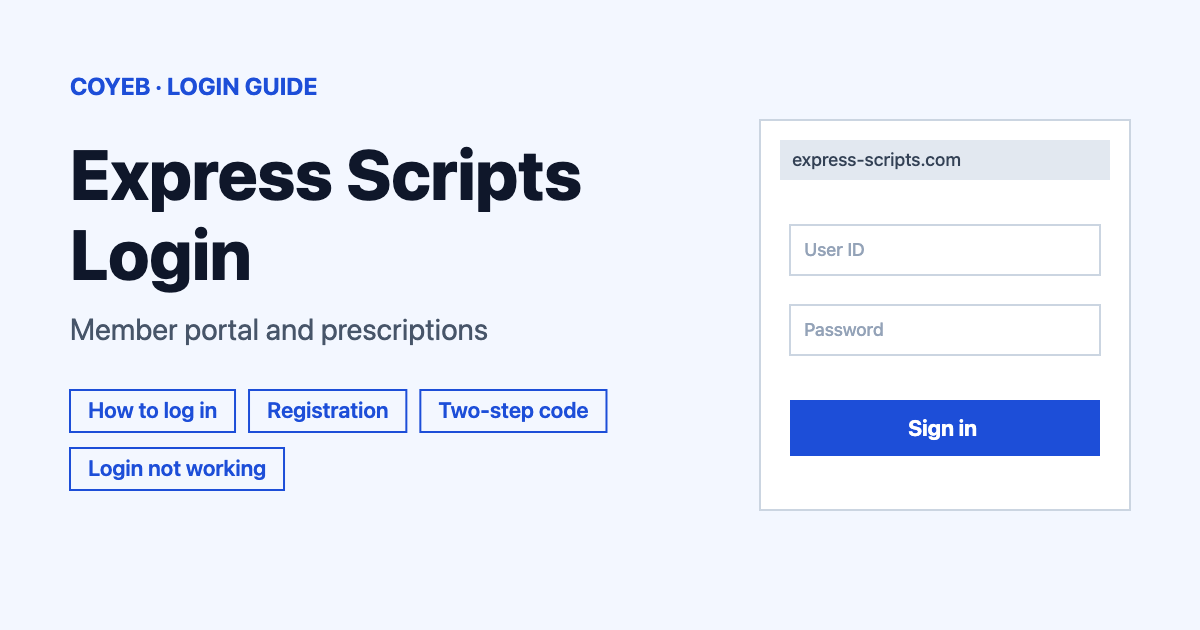
The Express Scripts login is at express-scripts.com/login. Type your Username and Password, then select Log In. A single-use code is sent to your registered email next. The catch: new members start at Register now with an email address. TRICARE members have their own login page.
Last verified: 16 November 2026
Official login page: https://www.express-scripts.com/login (checked November 2026)
coyeb.com is not affiliated with Express Scripts. Never share your password or OTP with anyone.
Which Express Scripts login you need
The Express Scripts home page says to “Select the login option that matches your health plan or service.”
| You are | Where to sign in | What you type |
|---|---|---|
| A member of an Express Scripts pharmacy benefit, or an Evernorth Enguide Pharmacy patient | express-scripts.com/login | Username, Password, then a single-use code |
| A TRICARE member | express-scripts.com/login/tricare | Username and Password, or Log in with myAuth |
| An Accredo Specialty Pharmacy patient | accredo.evernorth.com/new-patient/login | Accredo’s own sign-in |
| A Well by Evernorth or Evernorth Health Services user | well.evernorth.com/app/public/login or app.evernorth.com/consumer | Their own sign-in |
What you will see on the Express Scripts login page
The page is titled Log in to Express Scripts. It shows:
- A Username box and a Password box, with a Show button to check what you typed.
- A checkbox called Remember my login information.
- A Log In button.
- The line Don’t have an account? with a Register now. link.
- Two links under it: Forgot username and Reset password.
- An Español button at the top and a Help link in the footer.
How to use the Express Scripts login step by step
- Open express-scripts.com/login.
- Type your username in the Username box.
- Type your password in the Password box. Tap Show if you want to check it.
- Tick Remember my login information. only on a device you trust.
- Select Log In.
- Enter the single-use code Express Scripts sends to your registered email or mobile phone number, then continue to your account.
If you use single sign-on or biometrics, you can use those in place of typing a password. The code step still applies.
TRICARE login steps
The TRICARE page is titled Log in to TRICARE and has the same Username, Password, Remember my login information. and Log In items. Under them it says Or use your myAuth credentials to log in, with a Log in with myAuth button. You can reach it from militaryrx.express-scripts.com.
- Open express-scripts.com/login/tricare.
- Either type your Username and Password and select Log In, or select Log in with myAuth.
- Finish the two-step verification code if the site asks for it.
The TRICARE site says myAuth is a secure digital login option for Military Health System platforms. It also says the Defense Manpower Data Center manages myAuth and DS Logon, not TRICARE. For help with those, the site lists 800.368.3665.
First-time Express Scripts login and registration
The register screen is titled Welcome to Express Scripts and says “Get started in minutes.” It first asks only for your Email Address, with a Get Started button. If you already have an account, it shows Already have an account? Log in.
The official help says: “To register, you can use your prescription ID or your social security number.” Your first setup also needs an email address you can open, because the first single-use code goes to the email registered to your account. After you get in, you can add text messages as another way to get codes.
For TRICARE, the site says every pharmacy beneficiary, including children, “must have a separate account with a unique username and password”. Adults can set up accounts for minors who do not manage their own medications. Caregivers must be added by the TRICARE member. The Express Scripts help pages send military and retired military members to militaryrx.express-scripts.com.
Forgot username
Select Forgot username under the Log In button. The screen is titled Forgot your username? and says “We’ll use this information to find your Express Scripts account.” Fill in these fields, then select Submit:
- First name
- Last name
- Date of birth
The screen also has Reset password and Go back links.
Forgot password
Select Reset password under the Log In button. The screen is titled Reset Your Password and asks for the same three items: First name, Last name and Date of birth, then Submit. It has Forgot username and Go back links. Both screens end with “Still need help logging into your account? See FAQ for assistance.”
Express Scripts two-step verification code
Express Scripts says you need your username, password and a single-use code sent to your registered email or mobile phone number. It also says two-step verification is required on express-scripts.com, militaryrx.com and the Express Scripts mobile app.
- Setup: the first code goes to the email registered to your account. Text messages can be added afterwards.
- Expiry: a code expires after 15 minutes if sent by email or 5 minutes if sent by text message.
- Trusted device: tick Remember my login information. and the device and browser stay verified for six months. A different device or browser must verify again. The option is not currently available for single sign-on or mobile app users.
- Change the code email: after you log in, go to Two-Step Verification under Account.
Express Scripts code not working or not arriving
Each time you restart login or request a new code, all earlier codes stop working. The official steps are:
- Delete all earlier emails or texts from Express Scripts that contain a code.
- Wait 15 minutes.
- Select Send a new code or start the login again.
- Keep the two-step verification page open. If you leave it and log in again, you need a new code.
If an email code never arrives, check Spam or Trash and wait a few minutes. Then select Send a new code. If it still does not come, call web support at (800) 711-5672 to use an alternative email address. If a text code never arrives, select Send a new code or ask for the code by email instead. After you log in, check your phone number under Two-Step Verification in Account.
If a code arrives after it has expired, enter only the most recent code. If codes keep arriving late or two-step verification still fails, call the web support team at (800) 711-5672.
Express Scripts login on mobile
Express Scripts has a free mobile app on the Apple App Store and Google Play. To use it you must have an Express Scripts prescription benefit plan through your health insurance or plan sponsor. The app needs two-step verification too.
Express Scripts login not working
Express Scripts does not publish exact error messages for the login screen, so the fixes below are general suggestions based on its official help.
| What you see | What it means | Fix |
|---|---|---|
| Code does not work | Older codes stop working when you restart login or ask for a new code. Codes expire after 15 minutes by email and 5 minutes by text. | Enter only the newest code and keep the verification page open. |
| Email code never arrives | The email may be slow or in another folder. | Check Spam or Trash, wait a few minutes, then select Send a new code. |
| Text code never arrives | The text message has not come through. | Select Send a new code or ask for the code by email instead. |
| You cannot open the registered email | The first code goes to the email used at setup. | Call (800) 711-5672. Express Scripts says it can change the email address. |
| Forgot username or password | You need to recover your sign-in details. | Use Forgot username or Reset password under the Log In button. |
| TRICARE myAuth or DS Logon problem | These are managed by the Defense Manpower Data Center. | Call 800.368.3665 as listed on the TRICARE site. |
After you log in to Express Scripts
The official pages describe these tasks after login:
- Refill a prescription. Log in, choose your medication and place your order. You can also order refills in the app. Express Scripts says refills usually arrive 5 to 8 days after it receives your order.
- Check an order. The menu shows Check Order Status. The app can track home delivery orders.
- Pay a bill. The menu shows Pay a Bill. The app can take payments.
- Show your ID card. The app gives 24/7 access to your prescription ID card. You can save it to your phone, add it to your digital wallet or print a copy.
- Get text updates. Go to Communication Preferences under Account and select text.
Stay safe when you sign in
Check that the address says express-scripts.com before you type anything. The TRICARE login also sits on express-scripts.com. Never give your password or one-time code to another person. To report suspected fraud, call the Fraud Hotline at (866) 216-7096 or email fraudtip@evernorth.com (checked November 2026).
Express Scripts helpline
All lines below are listed as open 24 hours a day, 7 days a week (checked November 2026) on the official contact page.
- Express Scripts Pharmacy: (800) 282-2881, TTY (800) 759-1089
- Website support for login problems: (800) 711-5672, TTY (800) 759-1089
- Medicare members: (866) 529-4917, TTY (800) 899-2114
- TRICARE members: (877) 363-1303, TTY (877) 540-6261
- Accredo Specialty Pharmacy: (877) 222-7336