Immi Account Login: Australian Visa Portal Sign-In and Help
Immi account login at online.immi.gov.au: enter your username and password, then the 6-digit code. Reset a password, unlock or fix a lost MFA app.
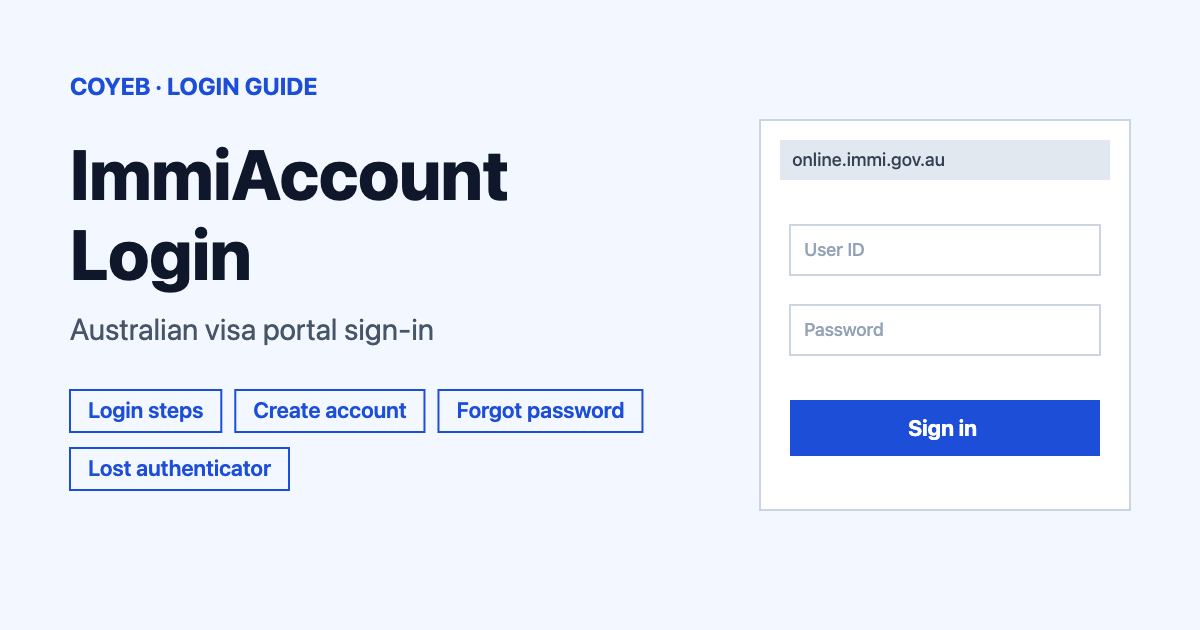
Your immi account login is at online.immi.gov.au/lusc/login. Enter your Username and Password, select Login, then type the 6-digit code from your authenticator app and select Submit. The catch: five wrong tries lock the account for four hours. Your username is your email address if you never set one.
Last verified: 17 November 2026
Official login page: https://online.immi.gov.au/lusc/login (checked November 2026)
coyeb.com is not affiliated with the Australian Department of Home Affairs. Never share your password or OTP with anyone.
What you will see on the login page
The page is called ImmiAccount and the form is headed Login to ImmiAccount. It has two fields, Username and Password, with the buttons Login and Cancel. Under the form are three more options:
- I have forgotten my ImmiAccount username or password (two links: username and password)
- I no longer have access to my multi-factor authentication app
- Create ImmiAccount for new users
How to do your immi account login
ImmiAccount is the Department of Home Affairs online account. Signing in takes two stages: your username and password first, then a 6-digit code.
- Open the official sign-in page at online.immi.gov.au/lusc/login.
- Enter your Username and your Password, then select Login.
- Open the authenticator app on your phone and look at the 6-digit code.
- Enter the code and select Submit to finish signing in.
The code in an authenticator app changes every 30 seconds, so type the one that is showing when you enter it. Your username is not case sensitive. Your password is case sensitive.
If you cannot use an authenticator app for now, choose the email authentication option during login. A 6-digit code is sent to your verified email address and stays valid for 15 minutes. The department says email codes are less secure than an authenticator app.
Create an ImmiAccount for the first time
Everyone needs an account before using ImmiAccount services such as applying for a visa or citizenship online or checking the progress of an application. Select Create ImmiAccount on the login page. An individual account is for an applicant or for a family member or friend acting for the applicant. An organisation account is for staff of an organisation or sponsoring company and for registered migration agents.
- Enter your email address and select Send verification code.
- Enter the verification code sent to that email.
- Select Individual (or Organisation and tick the services you need with a reason for each) and enter your details. Select Continue.
- Enter your account details and accept the ImmiAccount terms and conditions. Tick I am not a robot and select Submit.
- Follow the on-screen steps to set up multi-factor authentication (MFA). When the Login successful page shows, select Continue.
An organisation account stays an individual account until it is approved. An Organisation Account Administrator (OAA) approves it first if your organisation has one and you chose Online Lodgement only. The department approves it in other cases, usually within 4 working days. The department sends a reminder to the OAA after 7 working days if the request is still waiting.
Forgot your username
- On the login page select the username link in I have forgotten my ImmiAccount username or password.
- Enter the email address linked to your username in the Email address field.
- Tick I am not a robot and select Next.
- Check your mailbox. The email lists the usernames of all accounts that use that email address.
If you never chose a username when you registered, your username is your email address. All usernames are unique. You cannot change or re-use one even if you delete the account. If no email arrives, look in your spam or junk folder.
Forgot your password
- On the login page select the password link.
- Enter your Username, tick I am not a robot and select Next.
- Open the email you receive and select the link in it.
- Answer your secret questions correctly to get back into your account.
You only get the email if the username is correct and the account is active. A temporary password is never emailed. If you cannot answer your secret questions or you have forgotten them, you need to contact the department.
Password rules
A new password must have 14 to 100 characters and use at least three of these sets: lower-case letters, upper-case letters, digits and punctuation or special characters. A password cannot be reused for 8 password changes.
Account locked after wrong tries
If you enter your username or password wrongly 5 times, the account locks for 4 hours. You can use the forgotten password link and answer your secret questions to unlock it, or try again later.
Lost your authenticator app or phone
- On the login page select I no longer have access to my multi-factor authentication app.
- Enter your Username, tick I am not a robot and select Next.
- Follow the instructions emailed to your registered email address.
- Enter your password and answer your secret questions correctly, then set up your MFA options again.
If you cannot open that email account, the page tells you to contact the department. Keep your new phone or app ready before you start.
6-digit code not working or not received
- Check that you enter the current code from your authenticator app with no spaces or extra characters.
- If the app does not work, restart the device or the app. Reinstall or update the app if that does not help.
- For an email code, check your spam or junk folder. Make sure your email provider or company server is not blocking the message. Request a new code and try again.
Email not received after a reset
A reset email may not arrive if the email address has a mistake or is no longer valid or does not match the address on your ImmiAccount. It also may not arrive if you can no longer open the mailbox used to create the account. In that case contact the department to get into your account.
Change your password, email or secret questions
After you log in, select Manage Account. Use the Password tab, the Secret questions tab or the Account Details tab for the email address. Each change ends with the 6-digit code from your authenticator app or email and Submit. For a new email address you must also enter the verification code sent to it, or the change is not saved. The department suggests changing the password every 180 days for an individual account and every 90 days for an organisation account.
Immi account login on a phone
You can open the same login address in your phone browser. The department does not have its own authenticator app. Install a free one such as Google Authenticator, Microsoft Authenticator or Duo Mobile from the App Store or Google Play Store. Then log in to ImmiAccount and follow the on-screen steps to add the account. Scan the QR code or type the shared secret key shown on the screen. Switch between the browser and the app to read the code.
Immi account login not working
The fixes below are general suggestions based on the department’s recovery steps.
| What you see | What it means | Fix |
|---|---|---|
| Username not accepted | The username may be wrong. It is your email address if you never set one | Use the forgotten username link with the email address on the account. |
| Password not accepted | The password is case sensitive and 5 wrong tries lock the account for 4 hours | Use the forgotten password link and answer your secret questions. |
| 6-digit code not accepted | The code may be old or typed with spaces | Enter the current code from the app with no spaces. If you use email codes, request a new one. |
| No access to the authenticator app | Your phone or app is lost or reset | Use the lost multi-factor authentication app link and follow the emailed steps. |
| No email after a reset request | Wrong or old email address or the message is in spam | Check spam or junk and the address on the account. Contact the department if it still does not arrive. |
The login screen may show a notice of planned outages. The department also posts known issues on the Login successful page after you sign in.
Stay safe when you sign in
Check that the address starts with online.immi.gov.au before you type a password. Never share your password or authentication code with anyone. The department warns about scam agents who pretend to be registered migration agents and take money without lodging applications. Paid immigration help in Australia is legal only from a registered migration agent or an Australian legal practitioner. You can report visa scams to Border Watch or report a third party data breach relating to your ImmiAccount using the forms on the department’s contact page.
Contact the department
- Phone in Australia: 131 881 (checked November 2026)
- Phone outside Australia: +61 2 6196 0196 (checked November 2026)
- Hours: Monday to Friday 9am to 5pm your local time. The Global Service Centre is closed on Australian national public holidays and Monday is the busiest day (checked November 2026)
- Help page: Access your ImmiAccount (checked November 2026)
Have your passport or travel document ready when you call. Staff ask questions to confirm your identity first. If your account belongs to an organisation, you can ask your Organisation Account Administrator (OAA) to reset your password or MFA before you contact the department.