Therap Login: Provider and Staff Access
Therap login steps for providers and staff: Login Name, Provider Code and password, plus password reset, two-factor codes and locked account fixes.
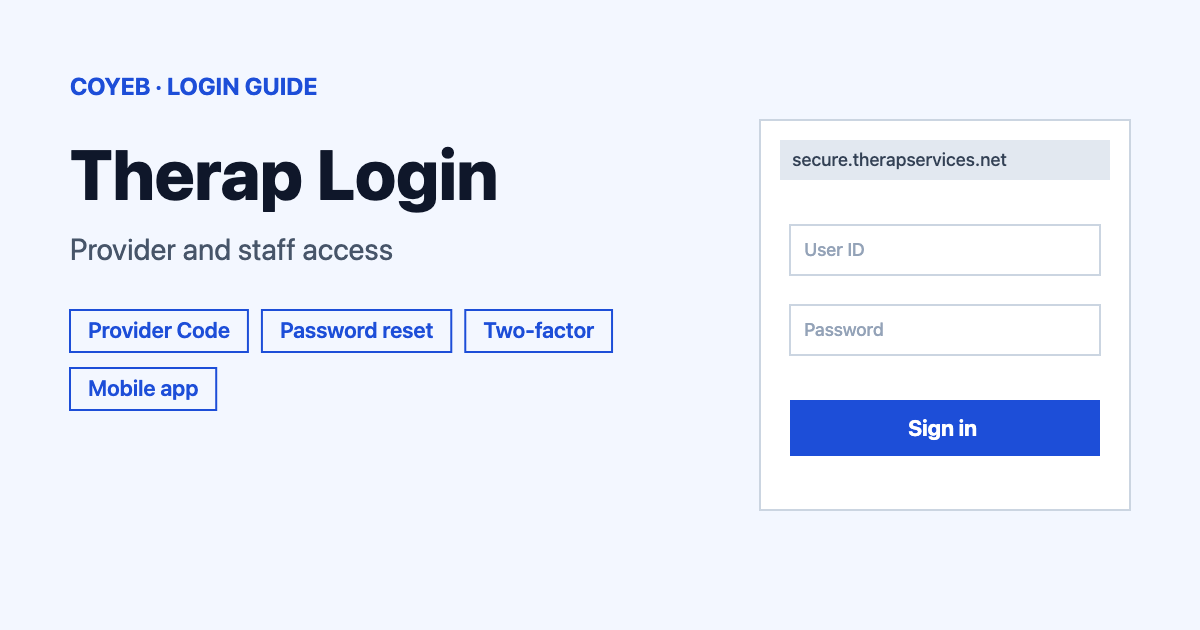
The Therap login lives at secure.therapservices.net. Enter your Login Name and Provider Code, click Continue, type your password on the next screen and click Login. If your agency uses two-factor authentication, enter the passcode when asked. Staff and providers use the same page.
Last verified: 18 November 2026
Official Therap login page: secure.therapservices.net (checked November 2026)
coyeb.com is not affiliated with Therap Services. Never share your password or OTP with anyone.
How to do the Therap login on a computer
Therap uses a two-screen sign-in. The first screen is titled Login and asks for two details before it asks for a password. The same fields appear for every role, so a provider administrator and a direct support professional start from the same page.
- Open secure.therapservices.net in your browser. Therap also runs Demo and Beta sites, so check the address before you type anything.
- Pick English or Español under Select Language if you want to change it.
- Type your Login Name in the first box.
- Type your Provider Code in the second box. Both of these fields are marked with an asterisk, which means they are required.
- Read the security note and click Continue. By clicking Continue you acknowledge your responsibility to follow good security practices in the selection and use of your password.
- On the next screen type your Password and click Login.
Your Provider Code and password are case-sensitive. Type the Provider Code in all upper case and make sure Caps Lock is off when you enter the password. If you do not know your Provider Code, you can ask your Provider Administrator or supervisor.
Therap login for providers and staff
There is no separate staff door and provider door on the page. Everyone signs in with a Login Name and Provider Code. What you can do after that depends on the role your agency gave you. Your Provider Administrator manages accounts for the agency, so questions about a missing account or a changed role go to them first.
Therap runs a few other sites that look similar but are not the same login. Therap Connect at therapconnect.net is described by Therap as a way to collect health and wellness data from smart devices, so it is not where staff sign in to the main application. Therap EVV runs on a separate address. This guide covers the main Therap login only.
First-time Therap login
The Therap login page has no sign-up option for new users. Accounts are managed by the Provider Administrator at your agency, so ask them for your Login Name and Provider Code if you have not received them. If your agency uses two-factor authentication, you may be asked to set it up when you first sign in. The steps are in the two-factor section below.
Forgot your Therap password
- On the Login screen click Forgot Password? to open the Reset Password page.
- Enter your Login Name and Provider Code.
- Follow the options the page shows for a self password reset by email or text.
Self reset only works if your Provider Administrator turned it on for your account and you set it up before. If it is not available to you, the reset page says to contact your Provider Administrator.
A Provider Administrator or supervisor can reset your password even when the account is locked. They give you a temporary password that you change after you log in. A Super Admin who is locked out asks another Super Admin. Therap says its own staff cannot reset passwords for regular users for security reasons. No one from Therap will ask you for your password.
If you are the only Super Administrator at your agency, Therap lists a Super Administrator Password Reset request form in its Login Issues help article (updated May 2026). That article also lists separate request forms for certain Nebraska and California programs and an email address for North Dakota QSPs.
Two-factor authentication on the Therap login
Two-factor authentication is optional and is set by your agency. When it is on, the factors Therap lists are Authenticator App, Hardware Token, Backup Passcode, Passcode via Email and Passcode via SMS. Click Try Another Way? if you want a different factor.
- Passcodes sent by email or text are valid for 5 minutes and there is a Resend link. If they never arrive, ask your IT team to allow Therap emails.
- You get 10 backup passcodes and each one works for a single login session.
- The Trust This Device/Browser checkbox skips the passcode for up to 15 days and you can trust a maximum of 10 devices.
- If you enter a wrong passcode you have to log in again. Click Login Again on the web or OK in the mobile app.
- If you lose your authenticator and have no backup passcodes, your administrator can disable two-factor authentication and then force it again. You then set it up from scratch at your next login. The full steps are in Therap’s two-factor help article (updated September 2026).
Therap login on mobile
Therap has a mobile app for smartphones and tablets on the Apple App Store and Google Play. Search for Therap and check that the publisher is Therap Services before you install.
- Open the app.
- Enter your Login Name and Provider Code and tap Login.
- Enter your Password on the next screen and tap Login again.
If your agency forced two-factor authentication on, log in on the web first and generate a QR Code before you use the app. You can also use the web login in a phone browser. The app has its own minimum requirements that are listed in Therap’s help center.
Therap login not working
Therap’s own help pages give very few exact error messages. The first two rows below are real names used by Therap. The other rows describe what you may see and the fixes are general suggestions based on Therap’s Login Issues article.
| What you see | What it means | Fix |
|---|---|---|
| Therap Unavailable page | It may be an old cached page or a real downtime. | Clear your browser cache and try again. Check the login page and the Release Notes for a downtime notice. |
| Account status Password Locked | Too many wrong passwords or passcodes reached the limit in your agency’s password policy. | Ask your Provider Administrator or supervisor to reset the password or unlock the account. |
| Login fails with the right details | Cookies may be turned off in your browser. | Turn cookies on. Without them the login fails even with correct credentials. |
| Provider Code is not accepted | The Provider Code is case-sensitive. | Type it in all upper case and check Caps Lock. |
| No passcode by email | Your mail system may be filtering the message. | Ask IT to allow Therap emails and use Resend if the 5 minutes ran out. |
| Page loads oddly or will not respond | Your browser may be out of date. | Compare your browser with Therap’s Minimum Requirements for Using Therap. |
Also make sure you are on the live Secure site. During downtime Therap points users to its Offline Forms so that documentation can continue.
After you log in to Therap
Set up two-factor authentication.
- Open the Settings tab.
- Follow the two-factor options your agency has turned on.
- Save your backup passcodes somewhere safe.
Check your trusted devices.
- Go to the Settings tab.
- Find One Time Passcode Trusted Devices.
- Click Manage to review the devices that skip the passcode.
Administrators: manage your agency. Users with administrator rights see an Admin tab. Super Admins can also use Issue Tracking to request two-factor authentication for the agency.
Other sign-ins you may need for work are covered in the healow login guide and the NetSuite login guide. Students in healthcare programs can also read the Exxat login guide.
Stay safe on the Therap login page
- The live application is on secure.therapservices.net. Check the address bar before you enter your Login Name.
- No one from Therap will ask you for your password.
- Therap staff cannot reset passwords for regular users. Only your Provider Administrator or supervisor can do that.
- Do not put patient or client details in a contact message to Therap. The contact page asks users not to send protected health information.
Therap helpline and contact
Therap’s main phone number is +1-203-596-7553 (checked November 2026) and no opening hours are listed. The address is 333 Kennedy Drive, Suite R101, Torrington, CT 06790-3060. The contact page has a form with the option Having issues logging into my Therap account. For a password reset your first contact is still your Provider Administrator.