Fragomen Login: Client Portal and IMS Sign-In Guide
Fragomen login guide for the new Client Portal and the older IMS: official addresses, Username and CONTINUE step, activation key, forgot username, support email
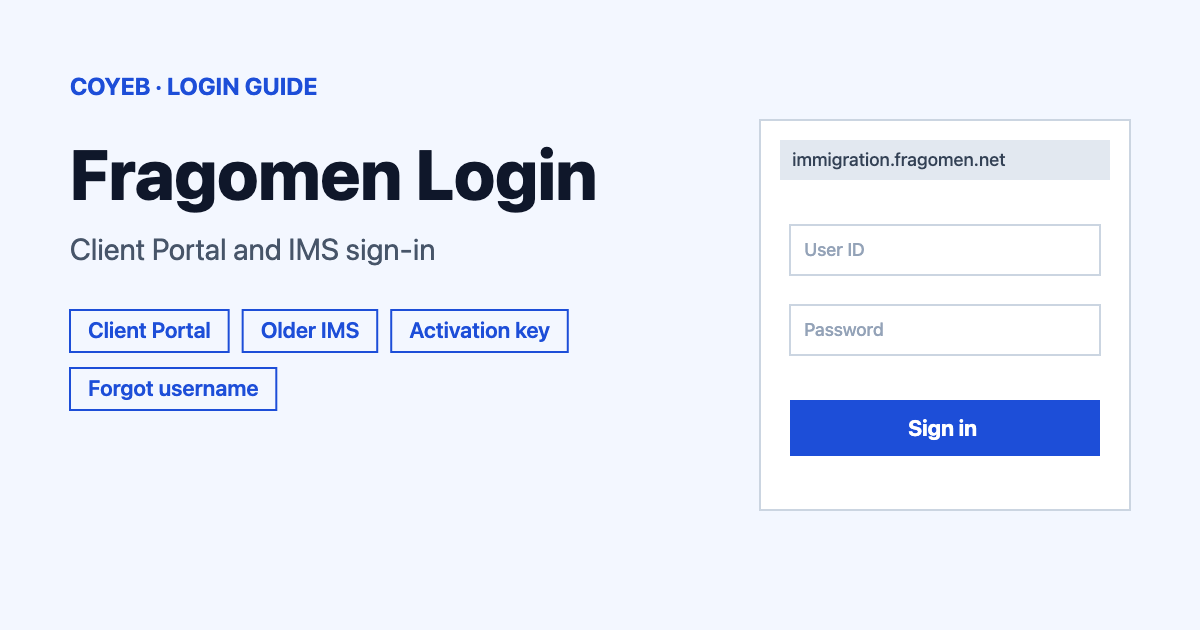
For a Fragomen login, open immigration.fragomen.net, the new Client Portal. Type your Username, select CONTINUE and follow the next screen. Older accounts may still use ims.fragomen.net, which asks for a Username and Password. First time, choose Activate Account and enter the activation key from your email.
Last verified: 18 November 2026
Official Fragomen login addresses (checked November 2026):
- New Client Portal: immigration.fragomen.net
- Older Immigration Management Suite (IMS): ims.fragomen.net
coyeb.com is not affiliated with Fragomen. Never share your password or OTP with anyone.
Fragomen login: which address to use
Fragomen runs two separate sign-in pages for clients. The newer one is the Client Portal at immigration.fragomen.net. The older one is the Immigration Management Suite at ims.fragomen.net. On the older page a notice tells clients to try the new portal: “Fragomen Clients, please experience our new portal at https://immigration.fragomen.net”.
You may also see the name Fragomen Connect. The older page shows “Fragomen – Connect” at the top and its support desk is called the Fragomen Connect Service Center. So a search for “Fragomen Connect login” leads to the same two addresses above. Because the older page points clients to the new portal, start there. If your details are not accepted, you can try the older page or ask your Fragomen contact which address your account uses.
How to log in to the new Client Portal
- Open immigration.fragomen.net. The page is titled “Client Portal” and opens at the /login screen.
- If a cookie banner appears, pick one of its options: Accept All Cookies, Reject All Non-Essential Cookies or Cookies Settings.
- Type your account name in the Username field.
- Select CONTINUE and follow the next screen.
The portal needs JavaScript. With it switched off the page only shows “Please enable JavaScript to continue using this application.”
How to log in to the older IMS page
- Open ims.fragomen.net/main/login.aspx. The screen is headed ACCOUNT LOGIN.
- Type your Username and your Password.
- Submit the form to sign in.
There is also a Log in with SSO option on this page. Its link goes to a Microsoft sign-in address first and then comes back to ims.fragomen.net. This is meant for accounts set up with single sign-on. If you have a username and password from Fragomen you can ignore it.
After you sign out the page shows “You have been logged out of the system.” Log in again from the same ACCOUNT LOGIN screen.
First-time login and account activation
New users get an activation key by email. It goes to the email address Fragomen has on file for you.
New portal
- On the login screen select Activate Account.
- The page asks you to “Enter the activation code sent to the email on file to proceed with creating a new username and password.”
- Type the code in the Activation Key field.
- Select ACTIVATE ACCOUNT and follow the screens that come next.
Older IMS page
- Select ACTIVATE ACCOUNT at the top of the login page.
- Fill in Activation Key, Username, Password and Confirm Password.
- The page sets a password rule: at least fifteen characters with at least one lowercase letter, one uppercase letter and one character of any other type.
- Below that the page asks you to set three security questions. Each has a Question list plus a Hint and an Answer box.
If no activation key arrives, you can look in your spam folder first. After that, ask your Fragomen contact or write to the Fragomen Connect Service Center (details in the helpline section).
Forgot username or password
Forgot username (new portal): select Forgot Username under the Username field. A pop-up headed FORGOT USERNAME opens with one Email field. Enter your email and select NEXT.
Forgot password (older IMS page): select FORGOT PASSWORD at the top of the page. The page says “Please provide your account username and e-mail address. An e-mail will be sent to you with instructions to reset your password.” Fill in Username and Email Address and send the request.
Forgot password (new portal): the Username screen does not carry a password link of its own. If you cannot get in, write to the Fragomen Connect Service Center and say which address you use.
Change your password on the older IMS page
The IMS login page has a CHANGE PASSWORD link at the top, next to ACTIVATE ACCOUNT and FORGOT PASSWORD. Use it when you know your current password and want a new one.
Fragomen login on mobile
Fragomen’s official pages read for this guide do not point to a mobile app for this login. Use the browser on your phone and open immigration.fragomen.net. Keep JavaScript on so the page can load. Typing the address yourself is safer than tapping a link in a message.
Fragomen login not working
| What you see | What it means | Fix |
|---|---|---|
| Please enable JavaScript to continue using this application. | The new portal cannot load because JavaScript is off in the browser. | Switch JavaScript on or open the page in a current browser. |
| You have been logged out of the system. | You signed out of the older IMS page. | Log in again from the ACCOUNT LOGIN screen. |
| No activation email arrives | The key goes to the email address Fragomen has on file. | Check spam. Then ask your Fragomen contact or the Fragomen Connect Service Center. |
| The new portal does not accept your username | Your account may sit on the older IMS page. | Try ims.fragomen.net with your username and password. |
Only the first two rows show texts taken from the Fragomen pages. The fixes in the other rows are general suggestions.
Stay safe on the Fragomen login pages
Check the address bar before you type anything. The two client sign-in addresses are immigration.fragomen.net and ims.fragomen.net. The IMS Log in with SSO option first passes through a Microsoft sign-in address. Never share your password or activation key by email or chat. If a message asks for them, you can contact the Fragomen Connect Service Center instead of replying.
Fragomen Connect Service Center contact
The only support contact shown on the older IMS pages is email: connectsupport@fragomen.com (checked November 2026). No phone number was found on the pages read. For questions about your immigration matter itself, ask your Fragomen contact. This guide covers signing in only and is not legal advice.
Related sign-in guides
Looking at other portal sign-ins on coyeb.com? See the NetSuite login guide and the healow login guide.