Lennar Mortgage Login: Pay and Manage Your Loan
Lennar mortgage login guide for closed loans: official portal address, sign-up fields, forgot username and password screens, the app and ways to pay.
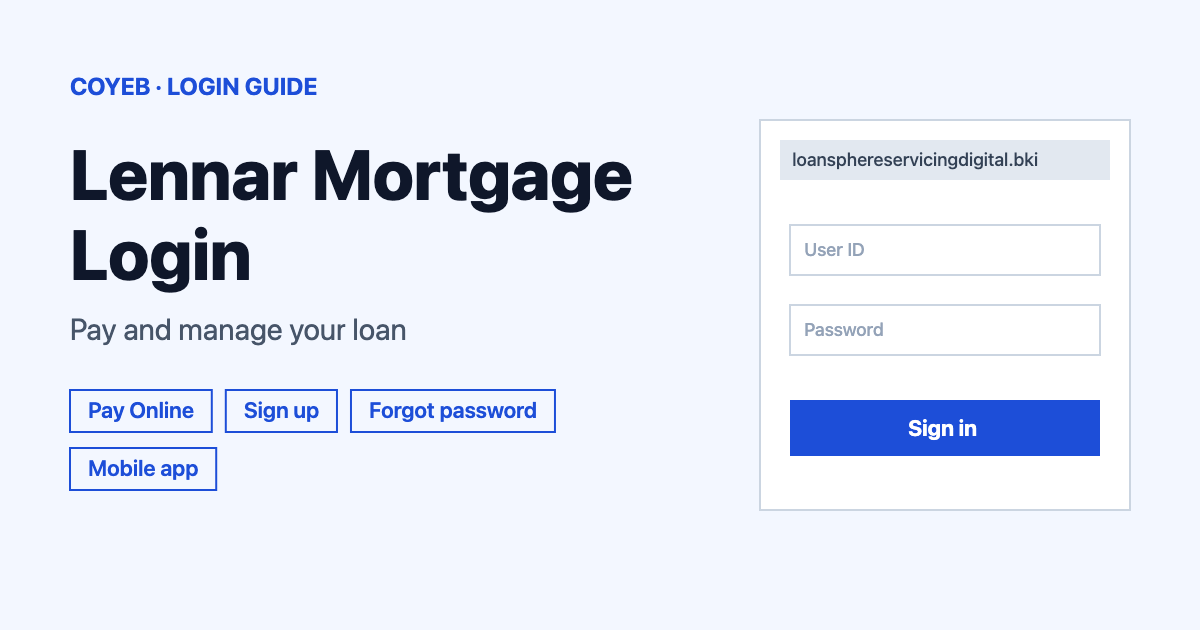
The lennar mortgage login for a closed loan is the servicing portal at loansphereservicingdigital.bkiconnect.com/lennarmortgage. Enter your Username and Password and select LOG IN. If it is your first visit, select Sign up and find your account with your last name, SSN, date of birth and email address.
Last verified: 18 November 2026
Official Lennar Mortgage login link
The portal is loansphereservicingdigital.bkiconnect.com/lennarmortgage (checked November 2026). Lennar Mortgage lists it as “Pay Online: Register at Payments.LennarMortgage.com” and the link on that page points to the address above. Check the address bar before you type anything.
coyeb.com is not affiliated with Lennar Mortgage. Never share your password or OTP with anyone.
Which Lennar login is this?
This guide covers the loan servicing portal, the place where people with a closed Lennar Mortgage loan pay and manage it. Lennar has other sign-ins that do different jobs. The “Login” link in the header of lennarmortgage.com leads to the loan application side. A lennar.com account, the Homeowner portal and the eClosePlus eClosing portal are also separate sign-ins. None of these is the place to make a mortgage payment.
Lennar mortgage login steps
The login page greets you with “Welcome to Lennar Mortgage Online Portal.” and the line “If this is your first time, please register.”
- Open the portal address from the box above.
- Type your Username in the first field.
- Type your Password in the second field. The eye icon shows what you typed so you can check it.
- Select LOG IN.
Under the password field there is a Remember me checkbox and a checkbox that reads “I agree to the terms and conditions and privacy policy.” Skip Remember me on a shared phone or computer.
First-time login: Sign up
There is no login until your account is registered. Select Sign up under the LOG IN button (the text reads “Don’t have an account? Sign up”). The first screen is called “Find your account” and says “First, let’s find your account.” It marks required fields with an asterisk and asks for:
- Last Name
- SSN
- Date of Birth
- Email Address
Select Find my account to continue. A Need Help? link sits on the same screen. If you already registered, use “Already have an account? Log in” instead. Lennar Mortgage also strongly recommends scheduling your first payment through the servicing portal as soon as possible.
Forgot username or password
Both options are links under the password field on the login page.
- Forgot Username: the screen is headed “Username Recovery” with the line “Let’s find your username.” It asks for your SSN and Email Address and has a Recover username button.
- Forgot Password: the screen is headed “Forgot password” with the line “Let’s reset your password.” It asks for your Username and SSN and Email Address and has a Reset password button.
Both screens have a Login link to take you back. If you know neither detail, you can recover the username first and then reset the password, since the reset screen asks for your Username.
Lennar mortgage login on mobile and the app
You can also open the portal address in a phone browser. Lennar Mortgage also offers an app that its page lists as “Pay On Our App”. Search for “Lennar Mortgage Servicing” in your store or use the official links: App Store or Google Play.
The names differ slightly. The App Store listing is “Lennar Mortgage Servicing” with the tagline “Lennar Mortgage Payments Made Simple”. The Google Play listing for the same app id is titled “Lennar Mortgage Payments”. Both name Lennar Mortgage, LLC as the developer. The App Store version is free and needs iOS 14.0 or later on iPhone or iPod touch. The app says it gives borrowers access to manage their mortgage(s).
How to pay your Lennar mortgage
The closed loan page lists four ways to pay (checked November 2026).
- Pay On Our App: use the app above.
- Pay Online: the servicing portal in this guide. The page also says you must opt in to receive electronic documents.
- Pay By Check: make it payable to “Lennar Mortgage, LLC” and mail it to Attn: Customer Service, 140 Fountain Pkwy N, Suite 250, Saint Petersburg, FL 33716.
- Pay By Phone: call 1-800-741-8262 between 9am and 4pm EST Monday through Friday. Have your routing and checking account numbers ready.
Cash and credit cards are not accepted. Payments are not taken at a branch or any other physical location. The page warns that “Payments submitted using unauthorized methods will not be processed.” Details are on the official closed loan information page.
Lennar mortgage login not working
The official pages do not list set error messages for this portal. The rows below are general suggestions based on what the portal screens offer.
| What you see | What it means | Fix |
|---|---|---|
| No Username or Password yet | The account is probably not registered | Select Sign up and use Find my account with your last name, SSN, date of birth and email address. |
| Username forgotten | The login needs the exact username | Use Forgot Username and the Recover username screen. |
| Password not accepted | The password may be mistyped or changed | Use the eye icon to check what you typed. If it still fails use Forgot Password and Reset password. |
| Login page asks about a new home or loan officer | This is the loan application side and not the servicing portal | Go back to the portal address in the link box above. |
| Payment not processed | Lennar Mortgage does not process payments sent by unauthorized methods | Pay by app or portal or check or phone as listed above. |
After you log in
- Pay your mortgage. Lennar Mortgage recommends setting up your first payment through the servicing portal as soon as possible.
- Opt in to electronic documents. The closed loan page says you must opt in to receive them.
- Request your 1098. Forms are mailed each year by January 31st. To ask for a copy email servicing@lennarmortgage.com.
Other loan portals have their own steps. For a bank example see the KeyBank login guide.
Stay safe
- The official sites are lennarmortgage.com and the portal host loansphereservicingdigital.bkiconnect.com. Check the address bar every time.
- When you leave lennarmortgage.com, a notice says “You are now leaving the Lennar Mortgage site and will be redirected.” with Cancel and Continue buttons.
- Payments are only taken by the four methods above. Cash and credit cards are not accepted.
- Enter your SSN only on the portal screens described in this guide. Do not follow payment links in texts or emails (a suggestion).
Lennar Mortgage helpline
- Pay by phone: 1-800-741-8262 (9am to 4pm EST Monday through Friday)
- Lennar Mortgage: (305) 229-6500 Opt. 1 (listed on lennarmortgage.com with no hours)
- App support: +1 888-966-8262
- Servicing questions: Servicing@LennarMortgage.com
Numbers and email addresses checked November 2026.