Cherry Login: Patient Payment Plan Account Access
Cherry login for patients: sign in at auth.withcherry.com with your mobile number and a text code. Fix a missing code and pay or pay off your plan.
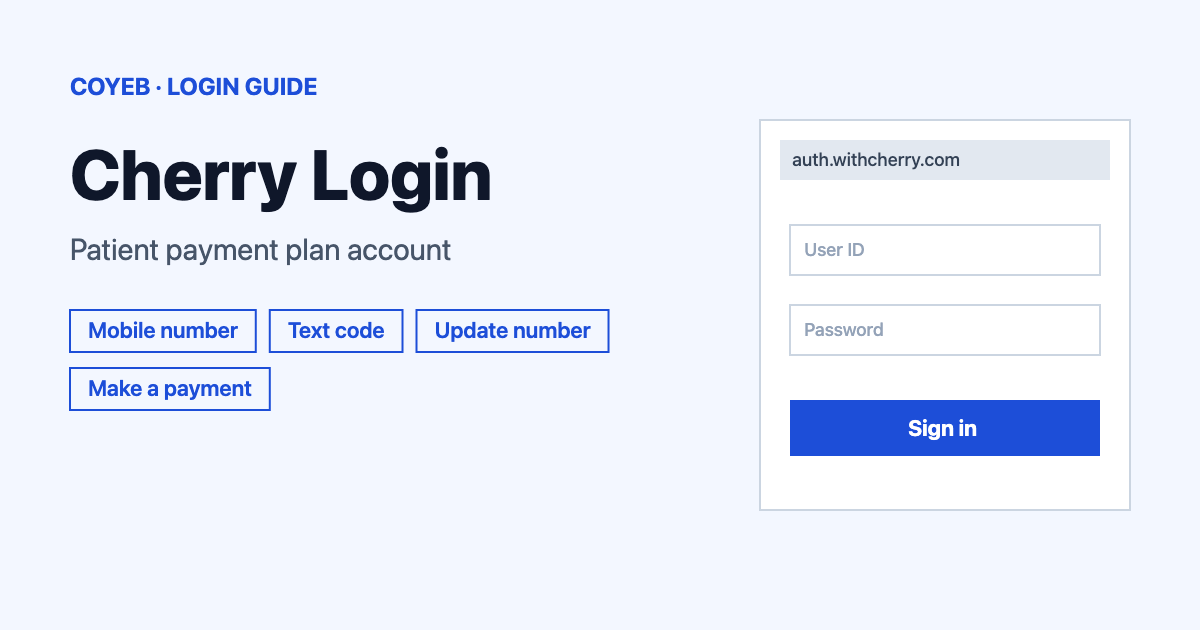
For a Cherry login, open auth.withcherry.com/consumer/login, type the mobile number linked to your Cherry account in the Mobile Number field and tap Send Code. Cherry texts you a six-digit code. Enter it and tap Sign In. There is no password for patient accounts.
Last verified: 18 November 2026
Official Cherry consumer login: https://auth.withcherry.com/consumer/login (checked November 2026)
coyeb.com is not affiliated with Cherry. Never share your password or OTP with anyone.
This guide covers Cherry at withcherry.com, the platform that lets patients spread the cost of a treatment into monthly payments. Cherry describes itself as a financial technology platform that is not a bank or a lender. Other companies use a similar name, such as Cherry Servers or Cherry Bank. They have nothing to do with this login.
How to do a Cherry login with your mobile number
Cherry has two sign-in areas. Patients and borrowers use the consumer login. Clinics and providers use a separate Provider Portal that is covered further down. On the Cherry website the menu item called Consumer Login and the Patient Login button both lead to the same place, so the consumer portal is also known as the Patient Portal.
- Go to https://auth.withcherry.com/consumer/login. The page title reads Cherry – Consumer Login and the screen says Welcome to Cherry.
- Under Log in with your mobile number. type your number into the Mobile Number field.
- Tap Send Code. Cherry sends a verification code to that phone by text message.
- On the next screen you will see six boxes for the code. Type the code you received.
- Tap Sign In.
The number must be the one linked to your Cherry account. The code screen also has a Not your number? button. The login page also has a Ver en español link if you prefer the Spanish version.
Cherry’s own help center says the same thing: you sign in with your mobile phone number and verify it with a code sent by text. No email address or password is asked for on the consumer login, so a page that asks for one is not the consumer login page.
First time Cherry login and applying for financing
The consumer login screen has no separate sign-up form. It only asks for the mobile number linked to your Cherry account, so use the same Mobile Number and Send Code steps shown above.
If you have not applied yet, start from Cherry’s provider finder at finder.withcherry.com and choose Apply Now. Cherry says approval is not guaranteed and depends on things such as your financial history, credit score, monthly income and monthly expenses. You can check the status of an application later on the Applications page after you sign in.
Lost access to the number or no code arrives
Cherry has no password reset because the consumer login has no password. What you need instead is access to your phone number. If a code does not come, go back to the code screen and tap Resend. Cherry’s help center also says you can ask to get the code by phone call instead of text.
If you changed your number, use the New number? Update your information link on the login page. It opens the Update Mobile Number form at consumer.withcherry.com/phone-update with the heading Help us find your account. The form asks for your Legal First Name and Legal Last Name. It also asks for your Social Security Number (SSN) or ITIN and your Date of Birth. A Previous Mobile Number field is marked optional. Tap Continue when it is filled in. Return to Account Login brings you back to the sign-in page.
If you still cannot get in, write to support@withcherry.com. Cherry also asks that you use a street address for your account because P.O. boxes are not accepted. An address change goes through the same support email.
Cherry login on a phone
Cherry’s consumer page does not name a mobile app for patients. The login works in the browser on your phone, so open the same address in Chrome or Safari and follow the same steps. A Cherry app is not mentioned on the official consumer page, so be careful with any app in a store that claims to be a Cherry patient login.
Cherry login not working
Cherry does not publish exact wording for login errors. The column below is headed What you see because the fixes come from Cherry’s help center cases and general suggestions rather than from official error messages.
| What you see | What it means | Fix |
|---|---|---|
| No text message with a code | The code has not reached the phone linked to your account | Tap Resend or ask for the code by phone call. Check that you typed the number linked to your Cherry account. |
| Cherry does not seem to know your number | Your account may be tied to an older mobile number | Use New number? Update your information and fill in the Update Mobile Number form. |
| The page asks for an email address and password | Consumer login has no password. A password page belongs to the Provider Portal or is not Cherry | Return to withcherry.com and use Consumer Login. Clinics use provider.withcherry.com. |
| Error when paying a monthly instalment | The payment details may be wrong or the card may not be accepted | Check the details are correct and the card has not expired. Make sure the account has enough funds and that the card is not a prepaid card. Then try again. |
If a payment still fails after that, Cherry asks you to email support@withcherry.com.
Provider Portal login for clinics
Practices that offer Cherry sign in at provider.withcherry.com with an email address and password. The username is typically the business email used to sign up. Use Forgot Password? on the login screen to reset a password. Once you are signed in you can also change it under Settings and then Account Details. If the username is forgotten, Cherry says to contact support.
After your Cherry login
Make a payment
Open the Make a Payment tile on your account home page.
Cherry recommends paying online in the Patient Portal rather than sending a check because online payments are processed faster.
Pay off a plan early
- Select Make a Payment.
- Choose Pay off payment plan.
Cherry states that there are no fees or penalties for paying off a plan early and that you can do it at any time.
Manage your plan and documents
- Open Payment Plans to change a due date or the payment method.
- Use Payment Methods and Add Payment Method to add a card or bank account.
- Open the View Documents tile for your Agreement Letter and monthly statements. Any Adverse Action Letter is kept there as well.
The account also has a Scheduled Payments view and a Refund and Dispute Center on each payment plan. For more patient portal logins you can compare the steps in the healow login guide.
Stay safe when you sign in
The consumer sign-in should open on auth.withcherry.com after you start from withcherry.com. Check the address before typing your number. Cherry never needs a password for the consumer login so treat any page asking for one as a warning sign. Cherry has not published a list of fake sites that could be quoted here.
To report an unauthorized application or contract in your name call Cherry on (888) 839-7171. The team needs to speak with you verbally. For unauthorized charges also contact the bank that issued your card.
Cherry support and helpline
Cherry lists support@withcherry.com and a chat option. Support hours are Monday to Friday 9:00 AM to 9:00 PM ET and Saturday 9:00 AM to 6:00 PM ET. No general helpline number is listed on the help center. The fraud line above is the phone number Cherry gives for fraud reports. Complaints can go to complaints@withcherry.com with the subject formal complaint. Hours and contacts were checked in November 2026 on the Cherry help center.