Comcast.net Mail Login: Xfinity Connect and Yahoo Move
Use the comcast.net mail login at connect.xfinity.com, reset a forgotten password and see how the Yahoo Mail move works for Comcast email accounts.
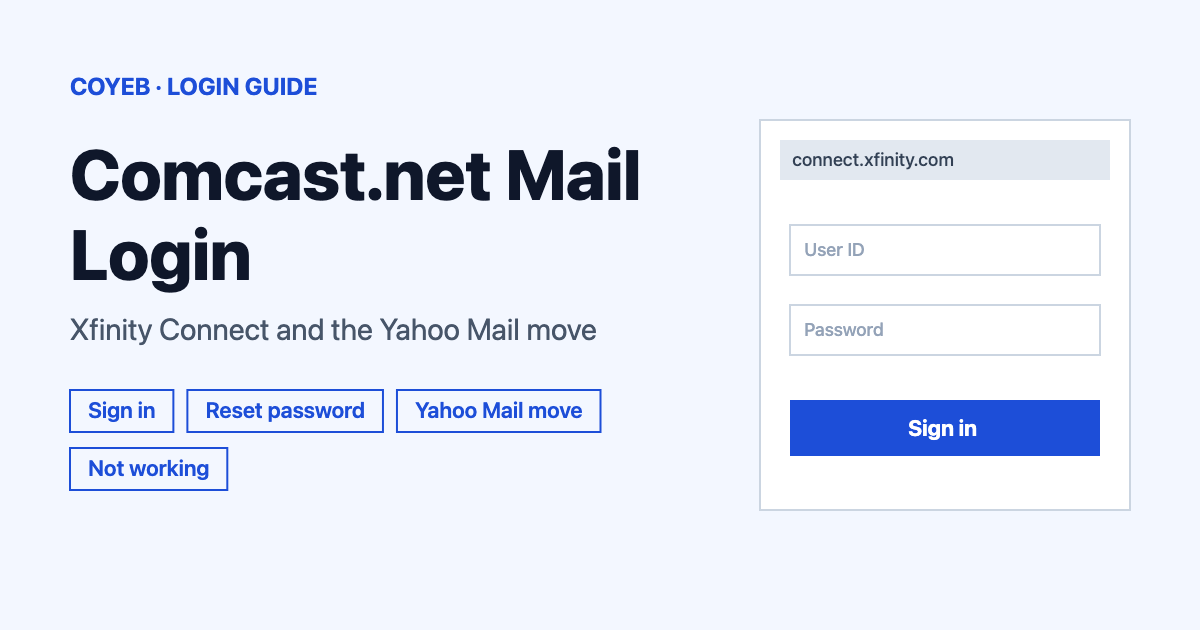
The comcast.net mail login is at connect.xfinity.com, an official Xfinity address. Enter your User name and Password there and sign in. If the password is forgotten, reset it at idm.xfinity.com first, because Comcast.net email uses the Xfinity account password. Some mailboxes are also moving to Yahoo Mail by invitation.
Last verified: 18 November 2026
Official sign-in: connect.xfinity.com (checked November 2026). The official Xfinity email page is xfinity.com/email.
coyeb.com is not affiliated with Xfinity or Comcast. Never share your password or OTP with anyone.
How to do the comcast.net mail login
Comcast.net email lives in Xfinity Email, also called Xfinity Connect. The official Xfinity email page is titled “Xfinity Email Login” and its Sign in option leads to xfinityconnect.email.comcast.net. The same page names connect.xfinity.com as the Xfinity email login. Both addresses belong to Xfinity and Comcast. The page does not explain the difference between them, so either one is fine as long as you reach it from the official page or by typing it yourself.
- Open connect.xfinity.com in your browser. It opens a sign-in form at /appsuite/.
- Type your User name and your Password. The form also has a Stay signed in option. It is safer to leave that off on a shared or public device.
- Sign in. If your mailbox has been invited to move to Yahoo Mail, a prompt appears at this point. The Yahoo section below explains what to do with it.
Phone or tablet users can follow the same steps in a mobile browser. After a mailbox has moved to Yahoo Mail, the Yahoo Mail app becomes the mobile route instead.
Is Comcast email the same as Xfinity email?
For sign-in purposes, yes. Comcast.net addresses are managed through Xfinity Email. The password for a Comcast.net mailbox is the Xfinity account password. The connect.xfinity.com form asks for a “User name”. The official pages read do not say more about how that name relates to your Xfinity ID, so nothing further is assumed here.
Forgot your Comcast.net email password
The official support page says that if you forgot your password, you reset it at idm.xfinity.com because the password is your Xfinity account password. The connect.xfinity.com form also shows a “Forgot your password?” link. The official email page offers a direct route to the reset page.
- Go to idm.xfinity.com/myaccount/lookup. The page is headed “Let’s find your Xfinity ID”. You can also reach it from xfinity.com/email through “Reset your password” or “Look up your Xfinity ID”.
- Confirm one detail linked to your account. The choices are Mobile phone number or Email address.
- Select Continue and follow the instructions Xfinity shows next.
- Once the password is reset, sign in again. If the mailbox had been marked inactive, the support page says signing in at xfinityconnect.email.comcast.net reactivates it.
One timing detail matters. Before a mailbox accepts Yahoo’s terms, a password change updates both the Comcast.net email and the Xfinity account. After accepting, changes made in Yahoo Mail do not affect the Xfinity account password. Before accepting, enter your Xfinity ID and select “Forgot password?”. After accepting, use Yahoo’s own reset process.
Is Comcast email moving to Yahoo Mail?
Yes, but one mailbox at a time and by invitation. As of November 2026 the official Xfinity email page says invitations are being sent through 2026 and in phases. Until an invite arrives, Comcast.net email keeps working as usual.
Here is how the move works according to Xfinity:
- Wait for an invitation email from xfinity@updates.xfinity.com.
- Follow the invite by signing in at connect.xfinity.com and accepting Yahoo’s terms. The same prompt also appears when signing in at connect.xfinity.com. Anyone with several Comcast.net mailboxes has to sign in and accept for each one separately.
- After the upgrade, the Comcast.net mailbox is only reachable through the Yahoo Mail platform. Sign in at mail.yahoo.com or with the Yahoo Mail app.
Xfinity describes the switch as free. The email address stays the same and everything moves with you. It also calls it an upgrade offered at no cost. The page read does not say the upgrade is optional or required, so it is not stated here either. It also gives no date for when connect.xfinity.com stops being the sign-in point.
Eligible mailboxes are active comcast.net accounts, including those of current and former Xfinity customers. Xfinity counts an account as active if it has been signed in to within the past two years. The address and the messages, folders and contacts all stay.
A few things do not move across. According to Xfinity, attachments over 25 MB go into a separate folder in the Xfinity inbox with 30 days to download them. Folders beyond 4,100 are consolidated and contacts beyond 10,000 are lost. Folder names over 240 characters are truncated. User folders named like Yahoo system folders such as “Sent” are renamed. Filters, settings and forwarding rules are not kept and have to be set up again in Yahoo Mail.
Third-party mail apps such as Outlook or iOS Mail need the same order of steps. Accept Yahoo’s terms first and then update the app with Yahoo Mail settings. Yahoo publishes a guide at help.yahoo.com/kb/new-yahoo-mail/SLN36803.html and the full Xfinity explanation is in the Yahoo email migration overview (checked November 2026).
Keep the mailbox active
An email account counts as active when you have signed in at least once every 24 months, through the Xfinity Email website or a third-party client. Inactive addresses are marked inactive. Signing in reactivates them.
Since January 2025, inactive accounts close after a 90-day window of notifications sent by email and text. Xfinity states: “Once an email account is closed, the contents are not recoverable.” People who write to a closed address get an “account not found” or similar reply. Xfinity points to export.xfinity.com for exporting mail before a closure. If the closed address was the preferred email on the account, the Xfinity ID still works for other Xfinity services. Paperless billing and any paperless discount stop until the email is updated in account settings. The “Check your email account status” option on xfinity.com/email is the place to see where a mailbox stands.
Comcast.net email not working
Xfinity does not publish a list of sign-in error messages for this mailbox. The table below therefore describes what people usually see. Most rows come from the official pages. The last row is a general suggestion.
| What you see | What it means | Fix |
|---|---|---|
| You have not signed in for a long time | The address may be marked inactive after 24 months without a sign-in | Reset the password at idm.xfinity.com if needed and sign in again to reactivate |
| Senders receive “account not found” or a similar reply | The account has been closed after inactivity | Contents of a closed account are not recoverable. Check the account status and keep future mailboxes active |
| No Yahoo invitation has arrived | Invitations go out in phases through 2026 | Keep using Comcast.net email as usual and watch for a message from xfinity@updates.xfinity.com |
| Password reset does not seem to apply | Before accepting Yahoo’s terms the Xfinity password is shared. After accepting it is separate | Before upgrading use “Forgot password?” with your Xfinity ID. After upgrading use Yahoo’s reset process |
| Large attachments are missing after the move | Attachments over 25 MB go to a separate folder in the Xfinity inbox | Download them within 30 days |
| Filters or forwarding stopped | Filters, settings and forwarding rules are not kept | Set them up again in Yahoo Mail |
| Outlook or iOS Mail stopped receiving mail | The app still uses the old settings | Accept Yahoo’s terms first and then update the app with Yahoo Mail settings |
| The page will not load or keeps failing | General browser or connection trouble | Suggestion: type connect.xfinity.com again or try another browser or device |
After you sign in
Accept the Yahoo upgrade prompt
- Read the prompt shown when signing in at connect.xfinity.com.
- Accept Yahoo’s terms when you are ready to move that mailbox.
- Repeat for every other Comcast.net mailbox you own.
Check the account status
- Open xfinity.com/email and choose “Check your email account status”.
- Sign in at least once every 24 months to keep the address active.
Set up filters and forwarding again
- After moving to Yahoo Mail, recreate filters and forwarding rules there.
- If you use Outlook or iOS Mail, update the app with the Yahoo Mail settings.
Stay safe
Before typing a password, look at the address bar. The hosts used in the official steps are connect.xfinity.com, xfinityconnect.email.comcast.net, idm.xfinity.com and mail.yahoo.com. The official Yahoo invitation comes from xfinity@updates.xfinity.com. Some look-alike pages built on free site-builders appear in search results. They imitate Xfinity sign-in and ask for a username plus a password and a repeat password. Skip them and type the official address yourself. Xfinity links to a guide on identifying official Comcast or Xfinity emails from its migration page. If a message about your mailbox looks wrong, do not click anything in it and contact Xfinity Support instead.
Helpline
The official pages read do not list a phone number for email help (checked November 2026). Before the Yahoo upgrade, Xfinity says to contact Xfinity Support at xfinity.com/support. The Xfinity Assistant and the Xfinity app are the other routes it points to. After your first Yahoo sign-in, Xfinity says to use the Yahoo Sign-in Helper or visit welcome.yahoo.com.