PF Account Login: EPFO Member Portal and UAN Access
PF account login on the EPFO Member Portal: sign in with your UAN, password and captcha, activate your UAN in UMANG, reset a password and call 14470 for help.
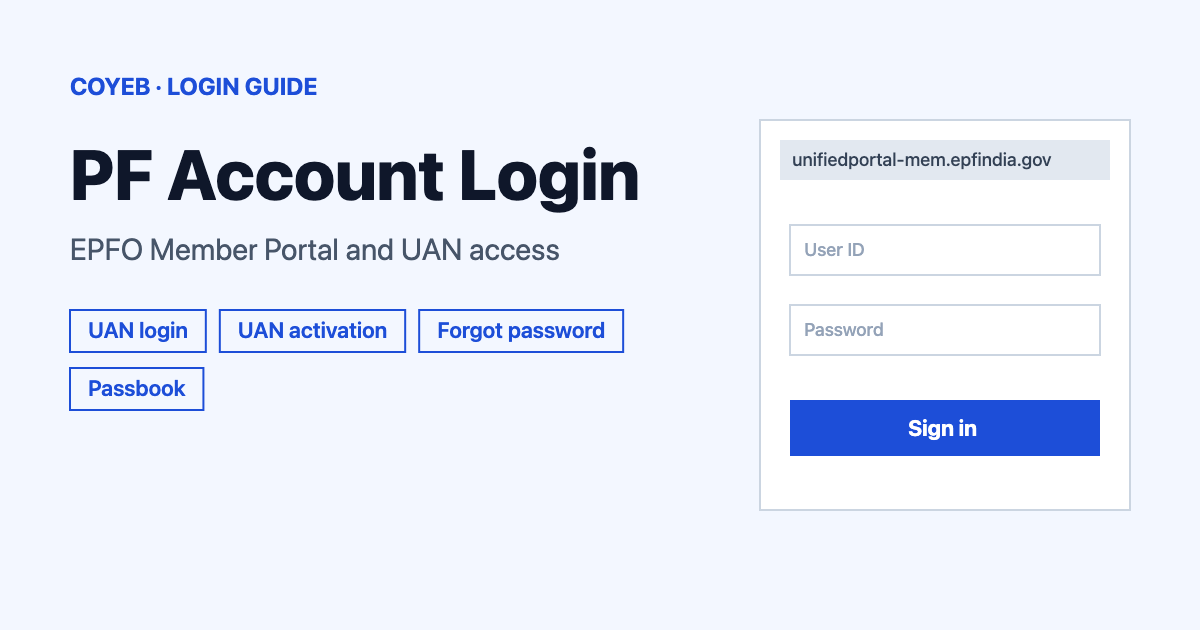
For a PF account login, open unifiedportal-mem.epfindia.gov.in/memberinterface and enter your UAN Number, Password and Enter Captcha. Then press Sign in. The catch: you need an active UAN and not your old PF member ID. UAN activation is now done in the UMANG app. Forgot the password? Use Forgot Password ? on the same page.
Last verified: 17 November 2026
Official member login: https://unifiedportal-mem.epfindia.gov.in/memberinterface/ (checked November 2026)
coyeb.com is not affiliated with the Employees’ Provident Fund Organisation. Never share your password or OTP with anyone.
What you will see on the PF account login page
The page belongs to the Employees’ Provident Fund Organisation, India. The login box is only for members. This guide does not cover employer or establishment logins.
- UAN Number, Password and Enter Captcha boxes.
- The buttons Sign in and Reset. Reset clears the form so you can start again.
- The link Forgot Password ? under the login box.
- Cards for Activate UAN, Know Your UAN, Direct UAN Allotment and UAN for Existing PF.
How to do the PF account login on the Member Portal
Your PF account is reached online through your UAN, the Universal Account Number. Here is how to sign in.
- Open the official member page from the box above in your browser.
- In the box marked UAN Number type your UAN. It is your UAN here and not your old PF member ID.
- In the box marked Password type your password.
- Read the captcha image and type it into Enter Captcha.
- Press Sign in. If you want to clear the form and start again, press Reset.
UAN activation: first-time access
You can only sign in after your UAN has been activated and you have a password. The login page has a banner saying that activation of existing UANs and generation of new UANs can be done through the UMANG app. The Activate UAN and Direct UAN Allotment cards on the portal now show a notice that this facility on the portal has been discontinued. Both are done with Aadhaar-based Face Authentication in the UMANG app.
- Download the UMANG app from the Google Play Store or the Apple App Store.
- Select EPFO Services.
- Under UAN Services Through Face Auth choose UAN Activation if you already have a UAN. Choose UAN Allotment and Activation if you need a new UAN.
- Follow the instructions in the app.
For help with this the notice gives the EPFO Helpdesk number 14470.
If you have a PF account but no UAN
Choose UAN for Existing PF. The screen is headed UAN Allotment For Existing PF Account. The steps are Verify Mobile, Member Details and then UAN Allotment/Linking. The first screen asks for Aadhaar Linked Mobile and a captcha. Press Get OTP to continue or Reset to clear the form.
Know your UAN: forgot username
Your UAN is your username. If you do not remember it, choose Know Your UAN. It has three steps: Verification (mobile and ID), OTP and then the view of your UAN. Press Get Started to open the form. You need your registered mobile number and any one ID proof. Fill in these fields.
- Mobile Number
- Select ID Proof Type with the choices Aadhaar Card, Member ID or PAN Card
- ID Proof Number
- The captcha
Then press Send OTP & Verify. The page says you can get your UAN in under 2 minutes.
Forgot your PF account password
Press Forgot Password ? under the login box. The form asks for these details.
- UAN and Name
- Date of Birth
- Gender: Male, Female or Transgender
- Mobile No
- A tick box for Aadhaar consent
- The captcha
Then press Get Authorization Pin. Press Cancel if you want to go back. The page explains the consent box like this: consent is mandatory for Aadhaar-based OTP verification and in other cases the OTP is sent through the local gateway. If you do not remember the UAN itself, use Know Your UAN first.
PF account login on mobile
You can open the same official page in your phone browser and follow the same steps. UAN activation and new UAN generation are done in the UMANG app. Install it only from the official Google Play Store or Apple App Store and check the publisher first.
PF account login not working
Two messages below are quoted from the official portal. The other fixes are general suggestions and not official statements. If nothing helps, call the help desk listed further down.
| What you see | What it may mean | Fix to try |
|---|---|---|
| Invalid User Name or Password. | The UAN or the password was not accepted. | Check that the UAN Number box holds your UAN and not a member ID. Type the password again or use Forgot Password ?. |
| Your session is currently active in another window/browser/system. Click on Login Here to continue login or Cancel. | Your UAN is already signed in somewhere else. | Press Login Here to continue on this device or Cancel to stay out. |
| Login does not accept your ID | You may have typed a member ID instead of the UAN. | Use Know Your UAN if you do not remember it. |
| Captcha is refused | The captcha was mistyped or has expired. | Read the image again and type it fresh into Enter Captcha. |
| You never received an OTP | The mobile number on record may differ from the one you are using. | Check the mobile number tied to your UAN or Aadhaar and try again. |
| The page loads badly or stalls | A browser or connection problem. | Try another browser or network. Keep your browser updated. |
Services on the login page
The login page also carries links that members and nominees can use.
- Track Application Status to check the progress of your Pension on Higher Wages application.
- Death Claim filing by Nominee (Claims) and Death Claim filing by Nominee (Pension). The pension one is for a family member or nominee after a member’s demise.
A notice on the page says filing of nominations by members is mandatory as per EPF Scheme, 2026 and that e-nominations can be filed and updated during the service period.
EPF Passbook sign-in
The passbook has its own page at passbook.epfindia.gov.in. It asks for UAN, Password and Enter Captcha with a Sign In button. Open it only through the official address.
Stay safe when you log in
Always check that the address starts with unifiedportal-mem.epfindia.gov.in or passbook.epfindia.gov.in before typing anything. The login page warns members to be vigilant against theft or loss of their UAN and password, which can lead to cyber frauds. Its tips are to install licensed anti-virus software, keep your system updated and patched, use a complex password and never share it.
EPFO never requests personal information such as Aadhaar, PAN or bank details over the phone and does not contact members to ask for monetary deposits. The passbook page adds that you should never respond to any call asking for Aadhaar, PAN, bank details, OTP or a payment.
PF helpline and contact details
For any difficulty with the UAN Member Portal the official Contact Us page lists these options.
- Phone (Help Desk): 14470 (checked November 2026)
- Hours: 9:15 AM to 5:45 PM (checked November 2026)
- Email: employeefeedback@epfindia.gov.in (checked November 2026)
- Website: www.epfo.gov.in (checked November 2026)
- Regional office: the same page has a directory of the EPFO regional office under which your establishment is complying (checked November 2026)