S2B Login: Straight2Bank Sign-In by App, Token or Password
S2B login for Standard Chartered Straight2Bank: global and India pages, QR code, app OTP, physical token, password and what to do when a token is locked.
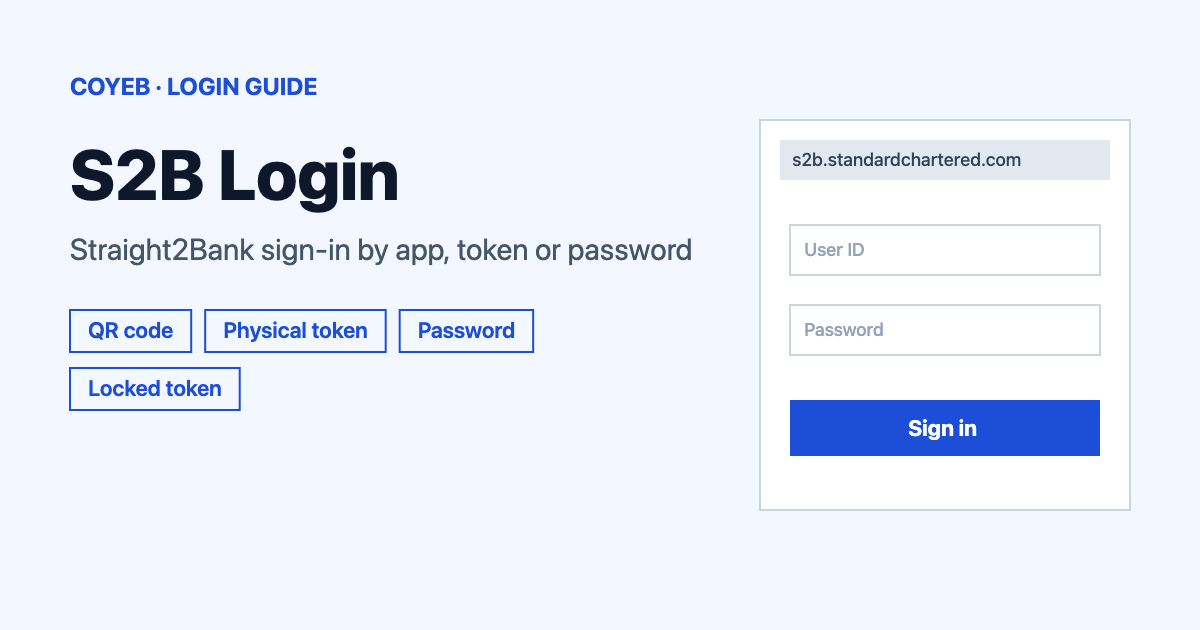
To finish the S2B login, open the official page at s2b.standardchartered.com (clients of Standard Chartered Bank India use s2b.sc.bank.in). Pick Mobile app, Physical token or Password. Enter your User ID or email and your Group ID where asked. Then scan the QR code, type the token OTP or enter your password.
Last verified: 18 November 2026
Official Straight2Bank login pages (checked November 2026):
- Global: s2b.standardchartered.com
- Standard Chartered Bank India: s2b.sc.bank.in
coyeb.com is not affiliated with Standard Chartered. Never share your password or OTP with anyone.
Which S2B login page should you use
Straight2Bank (S2B) is the corporate banking portal of Standard Chartered. There are two official addresses and both open the same screen headed “Welcome to Straight2Bank”. If your account is with Standard Chartered Bank India you can use s2b.sc.bank.in. Other clients use the global address s2b.standardchartered.com. If you are unsure, use the address your bank gave you.
How to do the S2B login step by step
The login page has three tabs called Mobile app, Physical token and Password. Choose the one that matches how your company set up your access. Two boxes come up again and again on this page. One is “User ID or email” and the other is “Group ID”. Type your User ID (or your email) in the first box and your Group ID in the second. Do not swap them. The bank’s own help tells you to check that both are entered accurately in the correct boxes.
Log in with the mobile app (QR code)
This is the tab you see first. It shows a QR code and no boxes to fill in.
- Open the Straight2Bank app on your phone and log in to it.
- Tap Digital Token.
- Scan the QR code shown in your web browser.
Log in with the mobile app OTP
If you cannot scan the code, use the link Use mobile app OTP on the same tab. Then get the code from the app.
- In the app tap Digital Token.
- Tap Use another method.
- Tap S2B Log in By OTP.
- The app shows an 8-digit OTP. It expires in 90 seconds.
- Type the OTP into the Straight2Bank web page before the time runs out.
Log in with a physical token
- Open the Physical token tab.
- Enter your User ID or email and your Group ID. You can tick Remember me if you want.
- Turn on your token and input your PIN, then press Enter. The token shows “APPLI_”.
- Press button 1 to generate an OTP.
- Type that OTP into the eight boxes under “Input the OTP generated by your physical token”.
Log in with a password
- Open the Password tab.
- Enter your User ID or email and your Group ID.
- Type your password in the Password box. The eye icon lets you check what you typed.
- Press Log in.
First-time login and token activation
If this is your first time with the mobile token, use the link Activate physical/digital token on the login page. The page says to keep ready the activation code that was sent to your registered email address and then follow the instructions on the screen.
The bank also says you must register and set up the mobile app on your phone yourself. You can register with any one of three things: your existing physical token or your existing Straight2Bank web password or the activation code sent to your registered email. If you use the activation code route, the steps in the app are:
- Log in to your Straight2Bank mobile app.
- Select Activation Code.
- Enter the activation code sent to your registered email.
- Enter the memorable date you gave the bank or choose SMS OTP to get a one-time password on your registered phone number.
- Create an alphanumeric PIN. You will use this PIN to open your digital token.
- Set your security questions. They are used to reset your PIN if you forget it.
- You can now log in.
Forgot password or token problems
For a forgotten password, go to the Password tab and click Forgot password?. The next screen says “Enter your User ID or Email and Group ID to get started.” Fill in both boxes and click Continue.
If your physical token is locked, it shows “LOCK PIN” with a 7-digit code on the screen. This happens after five wrong PIN entries. Keep the code because you need it to unlock the token. Go to the Physical token tab, click Unlock physical token at the bottom and follow the steps on screen.
To change your token PIN, turn on the token and input your PIN until it shows “APPLI _”. Then press and hold the ON button for 5 seconds until you see “NEW PIN”. On the DP276 model you press and hold button 8 for 2 seconds instead. The model number is printed on the back of the token. Enter the new PIN. When the token shows “PIN CONF” enter it again.
You cannot change the security questions and answers in the app. To reset them you must register the mobile account again. Delete the app from your phone and download it again. If you cannot remember the answers while resetting your PIN, tap Forgot Answers? and then Re-register this account.
S2B login on your phone
The official app is called Straight2Bank and the publisher is Standard Chartered Bank PLC. You can get it on Google Play. The Play page (checked November 2026) recommends Android 13 and above. It lists a secure Digital Token and biometric sign-in and approvals on devices that support them. You can also open the same login page in your phone browser and pick any of the three tabs.
S2B login not working
The login page has a link called Need help logging in?. It lets you pick Mobile app or Physical token or Password and shows help for that choice. The table below follows that help. The last row is a general suggestion and not an official message.
| What you see | What it means | What to do |
|---|---|---|
| Account locked after entering a wrong OTP 3 times | The account is temporarily locked for 30 minutes. | Wait 30 minutes and try again. If your User ID and Group ID were correct you also get an email with more instructions. |
| Token screen shows “LOCK PIN” and a 7-digit code | You entered a wrong PIN five times. | Use Unlock physical token on the Physical token tab. Keep the 7-digit code ready. |
| You cannot log in after several tries | The cause can be a browser problem or IDs typed in the wrong boxes. | Clear your browser cache and use a supported browser. Check that your User ID and Group ID are in the right boxes. For a digital token problem delete the Straight2Bank app and install it again. |
| The app OTP is rejected | The 8-digit OTP expires in 90 seconds. | Generate a new OTP in the app and type it in faster. |
| You forgot the answers to your security questions | The app needs them to reset your PIN. | Tap Forgot Answers? then Re-register this account. |
| The app will not work on an older phone | Google Play recommends Android 13 and above. | You can try the QR or OTP method from a newer phone or use the Password tab in a browser. |
If none of this helps, use the Contact us link in the header of the login page.
After you log in
The login page also shows quick links called Check Payment Status and Trade Track-It and Support Centre. The official app description lists these main things you can do:
- View your cash operating accounts and loan balances.
- Approve working capital and loan requests.
- Follow your trade items with Trade Track It.
If you also sign in to other business tools, our NetSuite login guide covers account IDs and two-step access.
Stay safe
Check that the address in your browser is s2b.standardchartered.com or s2b.sc.bank.in before you enter anything. The Straight2Bank app page on Google Play carries this warning: “Stay vigilant and avoid opening emails or clicking on links from unknown senders. Never share your PINS, Passwords, Security Codes and Biometrics.” The login page also has a Security Centre link.
Helpline
The login page does not list a helpline number (checked November 2026). Use the Contact us link in the header of the login page or the Support Centre tile on it.