TXU Energy Login: Pay Bill and Manage Your Account
TXU Energy login made simple: use txu.com/signin, enter your Username and Password, fix common sign-in problems and find the official helpline numbers.
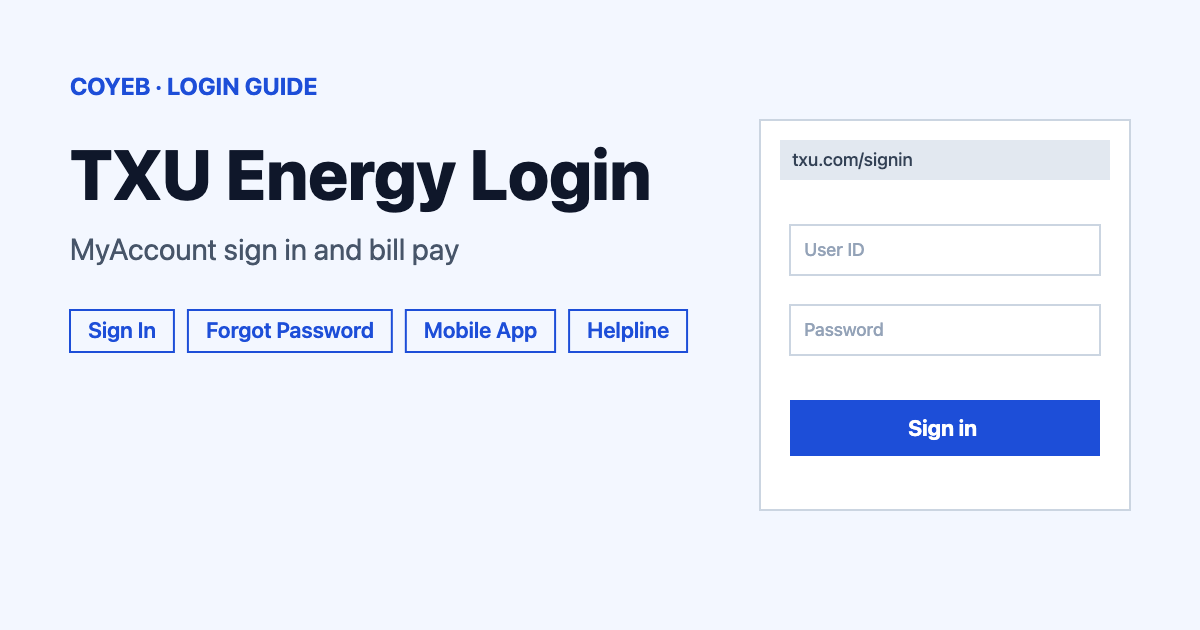
The TXU Energy login page is at txu.com/signin. Open it, type your Username and Password, then select Sign In to reach MyAccount. Passwords are case-sensitive, so enter yours exactly as created. If it fails, use the Forgot Username or Forgot password link on that page.
Last verified: 18 November 2026
Official sign-in page (checked November 2026): https://www.txu.com/signin
coyeb.com is not affiliated with TXU Energy. Never share your password or OTP with anyone.
How to complete your TXU Energy login
The sign-in page is titled “Sign In to Your Account” and the form is labelled “MyAccount Sign In”. You can switch the site between English and español from the page menu.
- Go to txu.com/signin. Check that the address starts with txu.com before you type anything.
- Type your username in the Username field.
- Type your Password. Match the capital and small letters exactly as you created them.
- Tick Remember Me only if the device is yours and nobody else uses it.
- Select Sign In.
People also search for “txu login my account” or “txu sign in”. All of them lead to this same MyAccount sign-in page.
First time on MyAccount
If you do not have a TXU Energy MyAccount yet, the sign-in page asks “Don’t have an account?” and offers a Create an Account link. The help page uses the label “First time user? Create an Account” for the same link. TXU Energy says you need your account number to register. It also asks for the last four digits of your Social Security number to verify your identity.
Forgot your username or password
The sign-in form has two separate links: Forgot Username? and Forgot password?. TXU Energy explains that you click the one you need and follow the prompts. They are two different links, so there is no single combined recovery link. For a password reset TXU Energy also asks for the last four digits of your Social Security number to confirm who you are.
Before you reset anything, check the basics. TXU Energy says passwords must be entered exactly as created, including upper-case and lower-case letters.
Login on mobile
The sign-in page has iPhone and Android app links. The official app is called TXU Energy and is published by TXU Energy Retail Company LLC. On Android you can get it from the TXU Energy page on Google Play. On an iPhone use the App Store link from the sign-in page. If you would rather not install anything, open txu.com/signin in your phone browser and follow the same steps as above.
TXU Energy login not working
TXU Energy answers the question “Why can’t I sign into TXU Energy MyAccount?” in its help section. The cause it names is a password typed with the wrong capital or small letters. If that is not it, it points you to the Forgot Password link. It also says planned maintenance is announced as a message on its website with the date and time. The table below uses general suggestions apart from those official points. The app items are user reports from Google Play reviews in October and November 2026 and are not official TXU Energy statements.
| What you see | What it means | Fix |
|---|---|---|
| Sign In does not accept your password | Passwords are case-sensitive | Retype it exactly as created. If it still fails use Forgot password? |
| You cannot sign in and the details look right | Planned maintenance can be the reason | Look for a maintenance message with a date and time on txu.com. Try again after that time. |
| You forgot the username | The username is separate from the password | Use Forgot Username? and follow the prompts. |
| App shows a network or connection problem (user report) | Reported by an app reviewer in October 2026 | You can try the browser sign-in at txu.com/signin instead. |
| Biometric sign-in disappears or fails in the app (user reports) | Reported by app reviewers in October and November 2026 | You can type your password instead of using fingerprint or face sign-in. |
| Nothing above helps | The account may need help from TXU Energy | Call 800-818-6132 (checked November 2026). |
After you log in
TXU Energy describes MyAccount as the place to view and pay your bill in seconds. The sign-in page lists what you can do there.
- View and pay your bill.
- Set billing and payment preferences.
- Monitor your electricity consumption.
- Choose how TXU Energy keeps in touch and set alerts.
If you cannot get into MyAccount, TXU Energy says other payment options are available and you can contact the company. Use only the numbers listed on txu.com.
Stay safe when you sign in
The sign-in form is on txu.com and the account pages sit on myaccount.txu.com. Anything else is not the official site. TXU Energy asks for the last four digits of your Social Security number only to verify your identity. Be careful with phone numbers shown on random websites that claim to take bill payments. Use only the numbers published on txu.com. No official fake-site warning was found on the TXU Energy pages checked in November 2026.
TXU Energy helpline numbers
- Sign-in trouble: 800-818-6132. The help page does not list hours.
- Main number shown on the site header and footer: 888-228-1144. No hours are listed.
- Residential customer service: 866-278-4898, shown as available 24/7.
- Delete your online MyAccount: 877-472-2898. TXU Energy states that deleting the online account does not cancel your electricity service.
All numbers were checked in November 2026 and can change, so confirm them on the TXU Energy MyAccount help page before you call.