Udyam Login: Print or Update Your Udyam Certificate
Udyam login guide: Udyami Login with your 19-character Udyam number, mobile and OTP, plus forgot-number steps, real form errors and the official helpline.
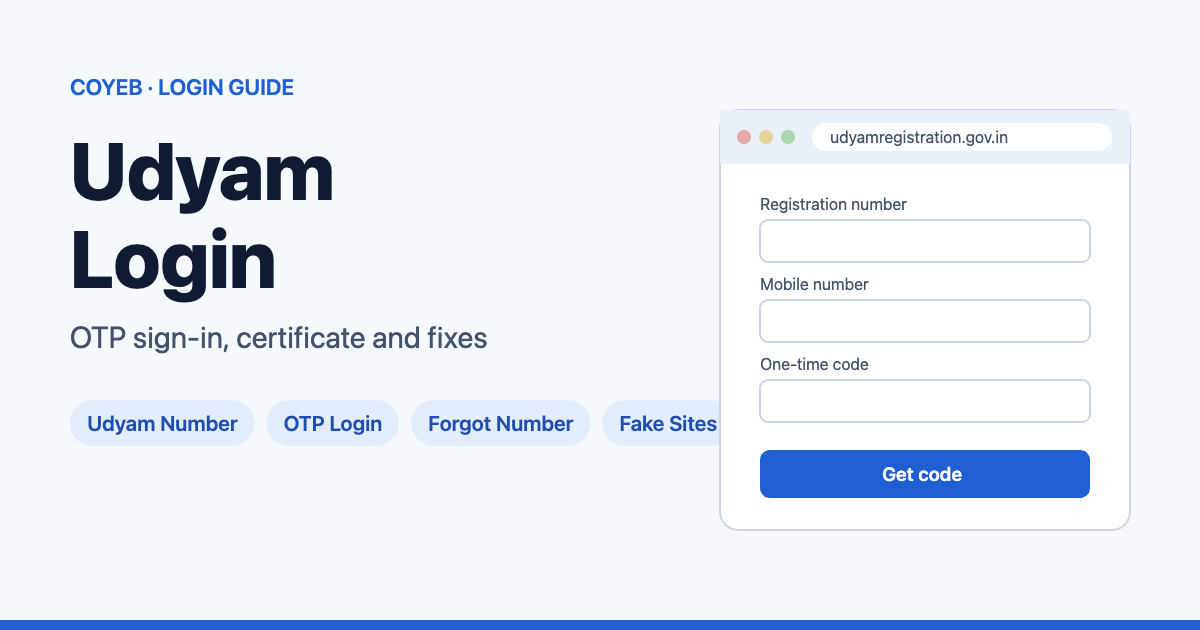
Quick answer: The official Udyam login page is udyamregistration.gov.in/Udyam_Login.aspx. For Udyam login there is no password. Under Udyami Login, enter your 19-character Udyam Registration Number (UDYAM-XX-00-0000000), the mobile number you filled in your application, choose where the OTP should go (mobile or email), type the Verification Code, click Validate & Generate OTP, then enter the OTP and click Validate OTP & Login.
Last verified: 13 November 2026. Portal screens may change; check udyamregistration.gov.in for the latest steps.
Official Udyam login page: https://udyamregistration.gov.in/Udyam_Login.aspx
coyeb.com is not affiliated with the Ministry of MSME. Never share your OTP with anyone. Udyam Registration is free on the official site.
Before you start: use the real site
When we checked the Google results for “udyam login” on 13 November 2026, the government site udyamregistration.gov.in did not appear in the top 10. Several of the top results were private registration services. The official home page itself says “Beware of Fake Sites” and that Udyam (MSME) Registration “is Free of Cost and paperless”. It also states that “no other private online or offline system, service, agency or person is authorized to do MSME Registration or undertake any related activity.”
So before you type anything, check that the address bar shows udyamregistration.gov.in.
How to log in to Udyam (Udyami Login)
- Open udyamregistration.gov.in. In the menu, the login options include Udyami Login for businesses, plus Officer’s Login, EFC’s Login and NSSH Officer’s Login. Choose Udyami Login.
- In 1. Udyam Registration Number, type your number in this format: UDYAM-XX-00-0000000 (19 characters with the dashes).
- In 2. Enter Mobile (Filled in application), type the mobile number you gave in your Udyam application.
- In 3. Choose OTP Option, pick OTP on Mobile as filled in application or OTP on Email as filled in application.
- Type the Verification Code shown on the page.
- Click Validate & Generate OTP.
- Enter the OTP you receive and click Validate OTP & Login.
These steps follow the instructions on the login page. There is no password, and no login with your Aadhaar number on this page.
Forgot your Udyam Registration Number?
- Open Forgot Udyam/UAM Number (listed under Print/Verify on the official site).
- Under 1. Choose Registration Option, pick Udyam Registration (or Udyog Aadhaar Memorandum if you had an old UAM).
- Under 2. Choose OTP Option (Filled in application), pick Mobile or Email.
- Enter that mobile number or email in step 3 and click Validate & Generate OTP.
- Enter the OTP and click Validate OTP. The official instructions say that when the OTP matches, “you will get all registered numbers”.
Print or verify your Udyam certificate
- Print Udyam Certificate and Update/Cancel Udyam Registration both lead to the same Udyami Login page above. Log in first.
- Verify Udyam Registration has its own page (Udyam_Verify.aspx) under Print/Verify.
- Old Udyog Aadhaar holders have separate options: Print UAM Certificate, Print UAM Application and Verify Udyog Aadhaar.
We describe only the menu items we saw. The screens after login need a real Udyam account, so we have not described them.
Udyam login on mobile
We found no official Udyam app linked from udyamregistration.gov.in. The home page title says “No other website/portal/app is official”. Use the website in a browser; we checked it on desktop.
Udyam login not working? Messages and fixes
These are the validation messages built into the official login and forgot-number forms:
| What you see | What it means | Fix |
|---|---|---|
| “Udyam should have first 5 letters, followed by one (-) after that 2 letters, followed by one (-) after that 2 digits, followed by one (-) and last 7 of numeric.” | The Udyam number is in the wrong format. | Type it as UDYAM-XX-00-0000000, with the dashes. |
| “Mobile no. should be of 10 digits must start with 9, 8, 7 or 6” | The mobile number is not a valid 10-digit Indian number. | Enter the 10-digit mobile number from your application (it must start with 9, 8, 7 or 6). |
| “Verification Code Required” | The verification code box is empty. | Type the code shown on the page. |
| “Required” | A field was left empty. | Fill in the empty field. |
| “Invalid email address format” (Forgot number page) | The email you typed is not a valid address. | Check the email address for typos. |
Other things you can try (general suggestions, not official steps): if the OTP does not arrive, choose the other OTP option (email instead of mobile, or the reverse); make sure you use the mobile number from your Udyam application, not a newer one; try another browser if the verification code does not load.
Tasks that start at Udyami Login
These official menu items lead to the Udyami Login page:
- Print your Udyam certificate (menu item: Print Udyam Certificate).
- Update your Udyam details (menu item: Update/Cancel Udyam Registration).
- Cancel your registration (same menu item).
Running other Indian business portals too? See our guides to ICEGATE login for customs and TRACES login for TDS.
Stay safe
- The only official Udyam website is udyamregistration.gov.in. The home page says “No other website/portal/app is official”.
- Registration is free on the official site. Some private registration sites charge a service fee for the same thing.
- Some third-party pages describe a login with your 12-digit Aadhaar number. The official Udyami Login page asks for your Udyam Registration Number, mobile number and OTP, not your Aadhaar number.
- Never share the OTP with an agent or caller. Anyone with your Udyam number, mobile number and OTP can log in.
- To complain about a fake site, use the “For complaints please Click Here” link in the announcement on the official home page.
Udyam helpline and contact
- Email: champions@gov.in (shown under “Get In Touch” on the official site)
- For Grievances: call or WhatsApp +91 8308809334, Mon to Fri, 10:00 AM to 06:00 PM
- Address: Office of DCMSME, Ministry of MSME, Kartavya Bhawan 3, New Delhi
Source: footer of udyamregistration.gov.in, checked November 2026. Phone numbers on private registration sites may belong to those businesses, not to the Ministry.
FAQ
What do I need for Udyam login?
Your 19-character Udyam Registration Number (UDYAM-XX-00-0000000), the mobile number from your application, and an OTP sent to that mobile or to your application email. There is no password.
Can I log in to Udyam with my Aadhaar number?
Not on the official Udyami Login page. It asks for your Udyam Registration Number, the mobile number you filled in, and an OTP.
How do I download or print my Udyam certificate?
On udyamregistration.gov.in, the Print Udyam Certificate menu item leads to Udyami Login. Log in with your Udyam number, mobile number and OTP first; the certificate screens come after login.
I forgot my Udyam number. How do I find it?
Use Forgot Udyam/UAM Number. Choose Udyam Registration, pick Mobile or Email, enter it, and validate the OTP. The page’s instructions say that when the OTP matches, “you will get all registered numbers”.
What is Udyog Aadhaar login?
The official site has separate Udyog Aadhaar (UAM) options: Print UAM Certificate, Print UAM Application and Verify Udyog Aadhaar, and the forgot-number page can look up a UAM number.
Is Udyam Registration free?
Yes. The official home page says Udyam (MSME) Registration “is Free of Cost and paperless”.