EFTPS Login: Federal Tax Payments, Enrollment and PIN Help
EFTPS login step by step: Login.gov or ID.me sign-in, EIN or SSN, PIN and password, password rules, lost PIN help and the Nov 13, 2026 change for individuals.
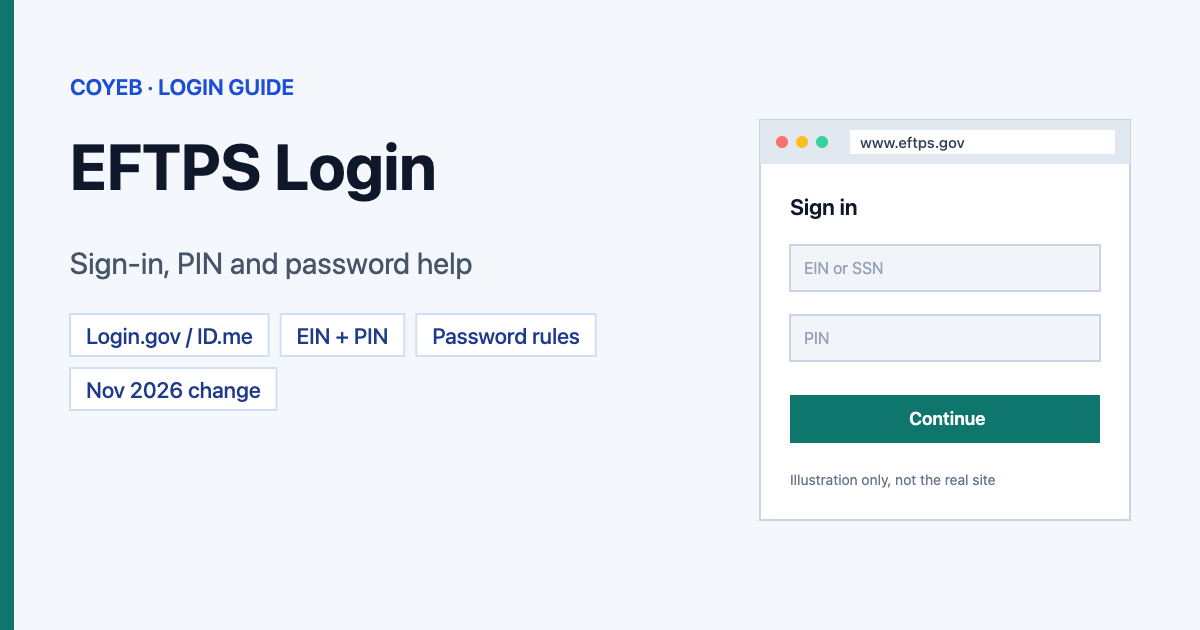
Quick answer: The official EFTPS login starts at www.eftps.gov. For EFTPS login, click LOGIN, sign in with Login.gov, ID.me or PIV / CAC, then EFTPS asks for your EIN or SSN, your 4-digit PIN and your EFTPS password. Since November 13, 2026, individual taxpayers can no longer make or change payments on EFTPS.gov; businesses still can.
Last verified: 14 November 2026
Official EFTPS website: https://www.eftps.gov/eftps/
coyeb.com is not affiliated with EFTPS, the U.S. Department of the Treasury or the IRS. Never share your PIN, password or one-time code with anyone.
Important: what changed for individual taxpayers on November 13, 2026
The EFTPS home page says that as of November 13th, 2026, individuals can no longer make or modify payments via EFTPS.gov. What this means for you:
- Individuals already enrolled can still log in to see their Payment History and to cancel a scheduled payment.
- Individuals who are not enrolled need an IRS Online Account for Individuals or the IRS Direct Pay guest path. Direct Pay does not need an enrollment; an IRS Online Account must be created first.
- Businesses (including non-profits and state or local government bodies) keep using EFTPS as before. Federal agencies enroll separately and need an Agency Location Code (ALC).
What you need before you log in
EFTPS uses two separate checks, so you need two sets of details:
| Step | What you need | Where it comes from |
|---|---|---|
| 1. Identity check (MFA) | A Login.gov or ID.me account (federal agency users can use a PIV/CAC card) | You create it yourself at Login.gov or ID.me |
| 2. EFTPS login | EIN or SSN, 4-digit EFTPS PIN, EFTPS (Internet) password | The PIN comes by U.S. Mail after enrollment; you create the password with Need a Password |
Your Login.gov or ID.me sign-in does not work as your EFTPS password, and registering with them does not change your EFTPS enrollment. Secure sign-in through Login.gov or ID.me has been required since October 19, 2023.
How to log in to EFTPS
- Go to www.eftps.gov and click LOGIN in the top menu.
- You are sent to a separate U.S. Treasury sign-in page titled EFTPS Online Production. Choose Sign in with LOGIN.GOV, Sign in with ID.me or Sign in with PIV / CAC.
- Finish the Login.gov or ID.me sign-in, including the one-time code they send you.
- EFTPS then asks for your EIN or SSN, your PIN and your EFTPS password (from the EFTPS FAQ; we did not see this screen without an account).
Login.gov and ID.me do the same job here. If you already have an account with one of them, you do not need the other.
First-time login: enrollment, PIN and password
New business that was pre-enrolled
If your business showed a likely federal tax deposit liability when it applied for its EIN, it is pre-enrolled and should have received a letter with a 4-digit EFTPS PIN. To activate it, call the voice response system at 1.800.555.3453 and enter your EIN, PIN, banking details and a contact phone number. You then get your 18-digit enrollment number, which you use when you create your Internet password. If the letter never arrived, call 1.800.555.4477. EFTPS says this pre-enrolled case is the only one where an agent can give the PIN over the phone.
Business that was not pre-enrolled
- Click ENROLL (or Enrollment in the menu) on eftps.gov and follow the steps.
- Your PIN and enrollment number arrive by U.S. Mail in five to seven days.
- Then create your Internet password (next section) and log in.
Need to pay before the PIN arrives? EFTPS says you can call 1.800.555.4477 two business days after enrolling; if your details match IRS records, an agent can take the payment, but cannot read the PIN to you.
Forgot your EFTPS password or PIN
Get, replace or change your Internet password
- Click LOGIN, Payments or My Profile and sign in with Login.gov, ID.me or PIV/CAC.
- Click Need a Password.
- Enter your EIN or SSN and your 4-digit EFTPS PIN.
- Enter your banking information or the last eight digits of your EFTPS enrollment number, then select Next.
- Create the new password.
Password rules (from the EFTPS FAQ): 12 to 30 characters; uppercase and lowercase letters, numbers and the symbols ! @ # $ * + – are allowed; no two identical characters in a row; it cannot match any of your five previous passwords.
Lost PIN
Call 1.800.555.4477 and EFTPS will resend the PIN by U.S. Mail. For security, the PIN is mailed, not read out over the phone (except in the pre-enrolled case above). An agent can schedule a payment for you in the meantime if you verify certain details.
Can’t find your enrollment number?
Look at the confirmation screen you printed or saved when you enrolled online, or at your PIN letter. If you activated from a pre-enrollment letter, the number was given to you on the phone.
EFTPS login on mobile
On a phone, open www.eftps.gov in your browser and follow the same steps. Login.gov and ID.me can send the one-time code to your phone. No cell phone? EFTPS says you can choose phone-call codes or download a list of backup codes (each works once). On a computer, EFTPS supports Microsoft Edge, Firefox and Google Chrome for Windows, and Safari for macOS, with JavaScript turned on.
EFTPS login not working? What to check
| Problem | Likely reason | What to do |
|---|---|---|
| Login.gov sign-up fails or loops back | You opened the Login.gov confirmation email on a different device or browser | EFTPS says to stay on the same device and browser for the whole Login.gov registration, and open the email link there. Check that your email app opens links in the same browser. |
| No one-time code from Login.gov or ID.me | Code delivery problem at the identity provider | Use Login.gov’s or ID.me’s own help pages (linked from the EFTPS FAQ), switch to phone-call codes or use a backup code. |
| Browser error during sign-in | Cached data or browser issue | EFTPS suggests clearing your browser cache, then trying another browser. |
| Your MFA login works but EFTPS rejects you | Wrong EIN/SSN, PIN or EFTPS password, or you used your Login.gov/ID.me password | Your EFTPS password is separate. Use Need a Password to set a new one. |
| Enrollment no longer works | No activity for 18 months | EFTPS deactivates enrollments with no logins, payments, look-ups or profile updates for 18 months. You must re-enroll. |
| Individual cannot make a payment | Individual payments ended on November 13, 2026 | Use IRS Direct Pay or your IRS Online Account. You can still log in to view history or cancel a scheduled payment. |
| Website is down | Outage | Businesses can use the 24/7 voice response line, 1.800.555.3453, with the EIN or SSN and PIN. |
After you log in: the top 3 tasks
1. Check payment history
- Click Payments in the top bar.
- Click Check Payment History in the left menu.
It shows deposits and payments made through EFTPS only, not card, check or money-order payments.
2. Cancel a scheduled payment
- Go to Payments and log in.
- Click Cancel a Tax Payment in the left menu and follow the steps.
You must cancel by 8 p.m. local time two business days before the payment date. Closer than that, you cannot cancel it through EFTPS.
3. Make a business tax payment on time
Schedule business payments by 8:00 PM ET at least one calendar day before the due date. EFTPS accepts same-day business payments only if they are $1,000,000 or less and submitted before 3:00 PM ET on a business day. Businesses can schedule up to 365 days ahead, and you get an acknowledgment number for each payment.
To update your contact details, go to My Profile and click Edit Enrollment Information.
Tax professionals with many clients
EFTPS says practitioners should use its free Batch Provider software to pay for many clients, and that this software is not affected by the MFA requirement. On the website, you register once with Login.gov or ID.me, but you must log out and authenticate again before moving to the next enrollment. Each person who uses an enrollment should have their own Login.gov or ID.me account; never share one.
Stay safe
- The only official EFTPS address is www.eftps.gov. The identity check happens on Login.gov, ID.me or a Treasury sign-in page that EFTPS sends you to.
- EFTPS does not use usernames or security questions to log in. You need your EIN or SSN, PIN and EFTPS password after Login.gov or ID.me.
- EFTPS only emails you if you opted in to email notices. Report unexpected emails claiming to be from the IRS to phishing@irs.gov.
- Never give your PIN, password or one-time code to anyone who contacts you. EFTPS mails PINs.
EFTPS customer service
| Line | Number | Hours |
|---|---|---|
| Pay by phone (voice response) | 1.800.555.3453 | 24/7 |
| Customer service agent | 1.800.555.4477 (en español 1.800.244.4829) | 6 am–2 am ET Mon–Fri, 8 am–8 pm ET Sat–Sun |
| Calling from outside the U.S. | 1.303.967.5916 (toll call) | 6 am–2 am ET Mon–Fri, 8 am–8 pm ET Sat–Sun |
| Hearing impaired | Dial 711 and give 1.800.733.4829 or any other EFTPS number | Most 711 services 24/7 |
For Login.gov or ID.me problems, use their own help pages; EFTPS lists them on its Contact Us page. Numbers checked on eftps.gov in November 2026.
Other login guides on coyeb: Kinnser login and ICEGATE login.
FAQ
Can individuals still use EFTPS?
Not for new payments. Since November 13, 2026, individuals can no longer make or modify payments on EFTPS.gov. Enrolled individuals can still log in to see payment history and cancel scheduled payments. Use IRS Direct Pay or an IRS Online Account to pay.
What do I need for EFTPS login?
A Login.gov or ID.me account (or PIV/CAC for federal users), then your EIN or SSN, your 4-digit EFTPS PIN and your EFTPS password.
How do I reset my EFTPS password?
Click LOGIN, sign in with Login.gov or ID.me, click Need a Password, enter your EIN or SSN and PIN, then your banking information or the last eight digits of your enrollment number, and create a new 12–30 character password.
Can I get my EFTPS PIN over the phone?
Usually not. Call 1.800.555.4477 and it will be mailed to you. EFTPS says the only exception is a pre-enrolled new business that never received its PIN letter.
Why was my EFTPS enrollment deactivated?
Enrollments with no activity for 18 months (no login, payment, look-up or profile update) are deactivated. You need to enroll again.
Is EFTPS free?
Yes. EFTPS is a free service of the U.S. Department of the Treasury, and there are no fees when you schedule a payment yourself on the website or by phone, according to the EFTPS FAQ.