RSM Student Portal Login: Russian School of Math Guide
RSM student portal login: sign in at student.russianschool.com with your username, recover a lost username, reset your password and find the Parent Portal.
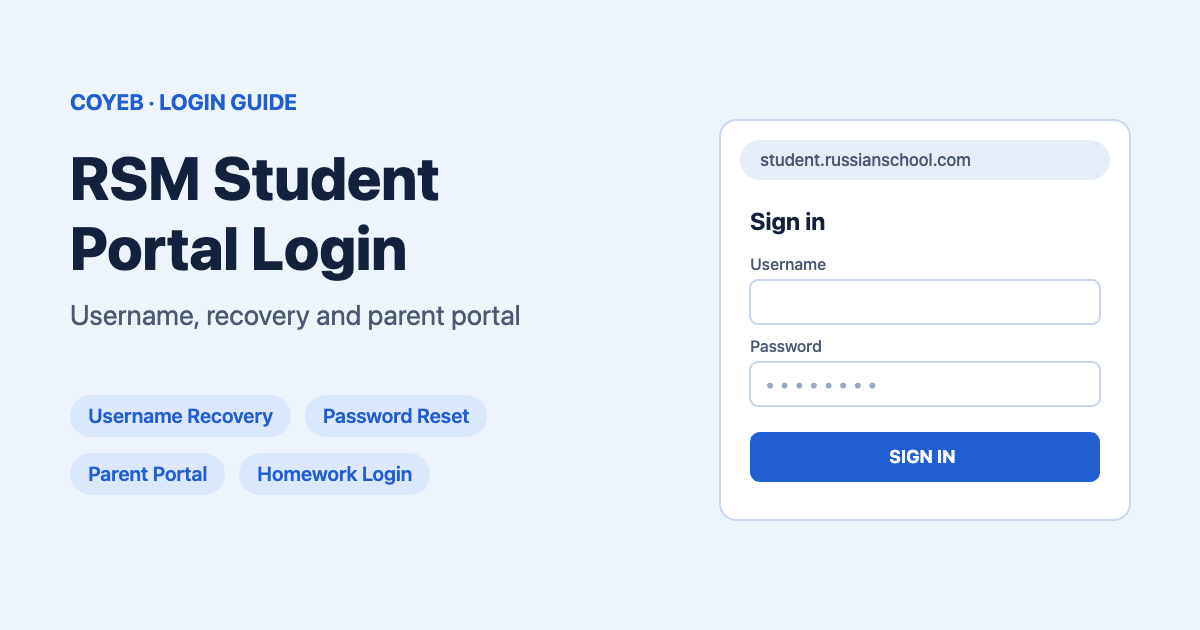
Quick answer: The RSM student portal login is at student.russianschool.com/student-portal. It opens the My RSM Account box. Type your Username and Password, tick Keep me signed in if it is your own device, and click SIGN IN. The student sign-in box asks for a Username. Parents use a separate Parent Portal at parents.mathschool.com.
Last verified: 14 November 2026
Official RSM Student Portal: https://student.russianschool.com/student-portal
coyeb.com is not affiliated with the Russian School of Mathematics (RSM). Never share your RSM password with anyone.
Which RSM login do you need?
RSM (Russian School of Mathematics) runs more than one sign-in page. Pick the one that matches who you are:
| You are | Where to sign in | What you type |
|---|---|---|
| Student | student.russianschool.com/student-portal (opens the My RSM Account page) | Username and Password |
| Student (homework page) | homework.russianschool.com (titled RSM Student Portal) | Username: and Password: |
| Parent or caregiver | parents.mathschool.com (Log In to RSM Parent Portal) | E-mail and Password, or Google / Facebook |
| RSM staff | The STAFF LOGIN button on the student sign-in page | Separate staff sign-in |
RSM’s own Virtual Classroom guide says students use the same account for the Student Portal (homework.russianschool.com) and the RSM-Online Virtual Classroom.
How to log in to the RSM Student Portal
- Open student.russianschool.com/student-portal in your browser. It takes you to a page that says WELCOME BACK and My RSM Account.
- Type your RSM username in the Username box.
- Type your password in the Password box.
- Tick Keep me signed in only on a computer or tablet that only you use.
- Click SIGN IN.
The STAFF LOGIN button opens a separate staff sign-in.
Logging in from the homework page
If you open homework.russianschool.com, you will see a page called RSM Student Portal with two parts:
- I have an account: enter Username: and Password:, then click Sign in. The page also has a Forgot password? link.
- I don’t have an account: an Email: box with a Sign up button.
The quickest way in: your RSM email link
RSM’s Virtual Classroom guide says the links in your welcome email and in homework assignment emails “will log you in automatically”. If you can’t remember your details, search your inbox (or your parent’s inbox) for an email from RSM and open the link from there.
First-time login: where do students get a username?
RSM does not publish its full account set-up steps, so this guide does not guess them. What the official pages show:
- The student sign-in asks for a Username.
- The welcome email links to the Student Portal (Virtual Classroom guide).
- The homework page has an I don’t have an account section with an Email: box and a Sign up button.
If you have no welcome email and no username, you can ask your RSM school (the location where you take classes) which email address they have on file, then use Username Recovery below.
Forgot your RSM username?
On the sign-in page, the line Forgot username or password? has two separate links. Click username:
- The Username Recovery page opens: “Please enter your email address below and select the mail type.”
- Type the email in the E-mail address box.
- Under I am using a, choose Student or Parent / Caregiver email, depending on whose email it is.
- Click SUBMIT. The page says: “If found, your username will be sent to that email”.
Our suggestion: if the account may use a parent’s email, pick Parent / Caregiver and check that inbox.
Forgot your RSM password?
Click password? in the Forgot username or password? line. The Reset Password page asks for your Username:
- Type your RSM username in the Username box.
- Click SUBMIT.
- The page says that if your username is registered with RSM, “you will receive an email with simple instructions to create a new password.” Open that email and follow it.
If you don’t know your username either, do Username Recovery first, then reset the password.
Already logged in on another device? The Virtual Classroom guide says you can set a new password from the profile page.
Reset email goes to a parent who isn’t home? The same guide says to “contact tech support using the blue chat in the bottom corner of the login screen.”
RSM Parent Portal login (for parents)
Parents do not use the student username. The Parent Portal is a different sign-in:
- Go to parents.mathschool.com (RSM’s main website, mathschool.com, also has a Parent Login link in its menu).
- The page says Log In to RSM Parent Portal (the address bar shows auth.parents.russianschool.com).
- Enter your E-mail and Password and click LOGIN, or choose Continue with Google or Continue with Facebook.
- New parent? Click Create an Account next to “Don’t have an RSM Parent Portal Account?”.
- Lost the password? Click Forgot password? on the same screen.
RSM Student Portal on a phone
We found no official RSM student app in RSM’s own pages, so use the mobile browser. Open student.russianschool.com/student-portal in your phone’s browser and sign in as above (we did not test a specific phone). Our suggestion: don’t tick Keep me signed in on a shared family phone.
RSM login not working? Common problems
| Problem | What to try |
|---|---|
| Your email doesn’t work in the student Username box | The box is labelled Username. Get your username by email through Username Recovery. |
| No username email arrives | Try the other mail type (Student or Parent / Caregiver) and the other family email. You can also check the spam folder. |
| The password reset asks for a username you don’t know | Recover the username first, then reset the password. |
| The reset email went to a parent’s inbox you can’t open | Use the blue chat in the bottom corner of the login screen to reach RSM tech support (RSM Virtual Classroom guide). |
| Parent can’t sign in with the student username | Parents sign in at parents.mathschool.com with an email, Google or Facebook. |
| Signed in on one device, password forgotten on another | Set a new password from the profile page on the device that is still signed in. |
The first two rows’ fixes and the spam-folder tip are general suggestions based on how the sign-in pages work, not steps published by RSM. We found no official list of RSM error messages.
After you log in: what the student account is for
RSM’s Virtual Classroom guide mentions:
- Homework: the Student Portal at homework.russianschool.com, where homework assignment links lead.
- Online classes: the RSM-Online Virtual Classroom uses the same username and password.
- Your profile: the profile page, where you can set a new password.
If your school math teacher also uses DeltaMath, see our Delta Math login guide.
Stay safe
- The official student sign-in addresses are student.russianschool.com and homework.russianschool.com. Parents sign in through parents.mathschool.com, which opens auth.parents.russianschool.com.
- Some third-party pages about the RSM portal link to other RSM web addresses or give contact details for unrelated tutoring companies. Type the address yourself or use the links on this page.
- Never share the student password, and never type it into a page that is not on the addresses above.
RSM contact details
RSM’s contact page (checked November 2026) lists: 200 Wells Ave., Newton, MA 02459, phone (617) 453-9060, email info@russianschool.com, plus a contact form. For a login problem, the Virtual Classroom guide points to the blue chat on the login screen. Your RSM school may be able to tell you which email is on file.
Official contact page: mathschool.com/contact-us
RSM Student Portal: FAQ
How do I log in to the Russian School of Math student portal?
Go to student.russianschool.com/student-portal, type your Username and Password in the My RSM Account box and click SIGN IN. You can also sign in on the homework page, homework.russianschool.com.
Can I log in to the RSM student portal with my email?
The student sign-in box asks for a Username, not an email. If you don’t know your username, open Username Recovery, enter your email and choose Student or Parent / Caregiver.
Is the RSM Student Portal the same as the Parent Portal?
No. Students sign in with a username on student.russianschool.com. Parents sign in at parents.mathschool.com with an email and password, or with Google or Facebook.
How do I reset my RSM student password?
Click “password?” under the sign-in form, type your username and click SUBMIT. If the username is registered, RSM emails instructions to create a new password.
Is the Russian math student portal login the same for online classes?
Yes. RSM’s Virtual Classroom guide says students use the same account for the Student Portal and the Virtual Classroom.