SBA Login (MySBA): Loan Portal and Account Access
SBA login for the MySBA loan portal: official link, sign-in steps, Register for MySBA, payments, CAFS accounts, error fixes and SBA helpline numbers.
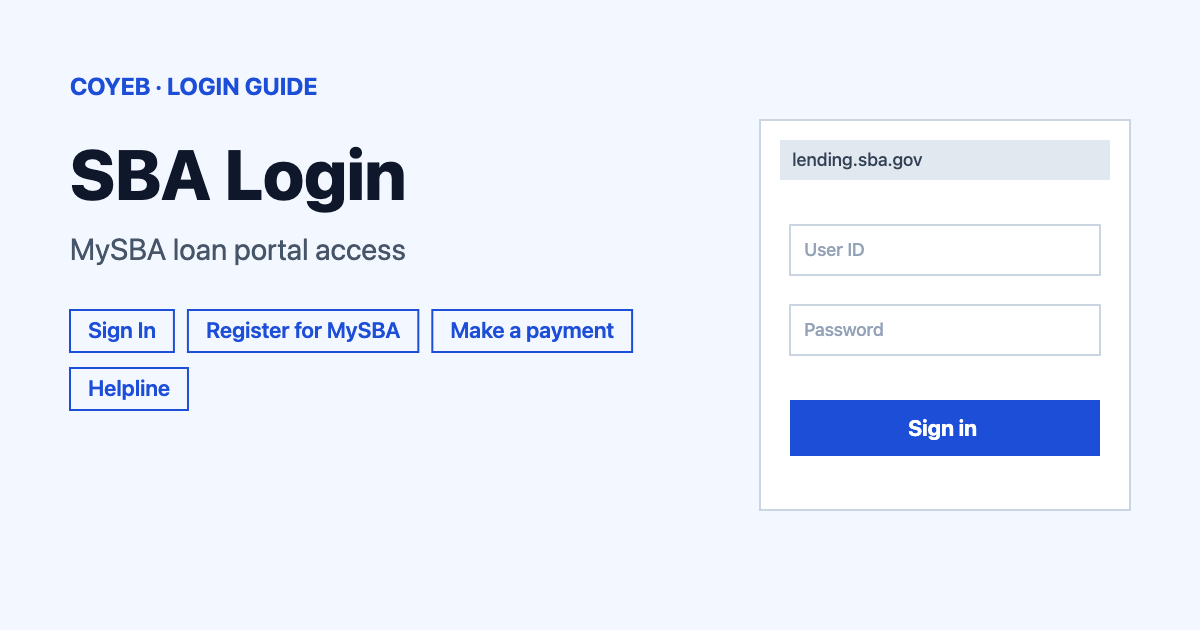
For the SBA login, go to lending.sba.gov, the MySBA Loan Portal. Type your username and password, agree to the Disclosures and Terms, then click Sign In. CAFS and VetCert logins work here but RAPID logins do not. No account yet? Click Register for MySBA.
Last verified: 17 November 2026
Official SBA Loan Portal: https://lending.sba.gov/ (checked November 2026)
coyeb.com is not affiliated with the U.S. Small Business Administration. Never share your password or OTP with anyone.
SBA login: who can use the loan portal
The SBA Loan Portal replaces the old Capital Access Financial System, known as CAFS. It covers COVID-19 EIDL, SBA disaster loans, PPP loans, 7(a) loans and 504 loans. For PPP loans, online payments are only for guaranty-purchased loans. For 7(a) loans, they are only for guaranty-purchased loans that SBA services. For 504 loans, they are only for debenture-purchased loans. For other loan types, contact your lender.
Your login depends on what you already have:
- If you have a CAFS or VetCert (Veteran Small Business Certification) account, use your existing username and password.
- If you have neither, register a new account in the portal (see the sign-up section below).
- Your RAPID portal username and password cannot be used to log in to the SBA Loan Portal. RAPID is a separate system.
How to log in to the SBA Loan Portal
- Open lending.sba.gov in your browser. Make sure the address says exactly that.
- Go to the Sign In page.
- Type your username and password. The username is case-sensitive.
- Agree to the Disclosures and Terms.
- Click Sign In.
If you see the heading “Your browser is not supported by the SBA Loan Portal”, your browser version is too old. SBA lists Chrome v84 or newer, Firefox v75 or newer, Edge v84 or newer, Safari v14.1 or newer and Samsung Internet v14 or newer. You can click “Continue Without Upgrading”, but SBA warns you may not be able to access all the available features.
SBA login account sign up: Register for MySBA
This is for borrowers with no CAFS or VetCert account. On the portal home page, click Register for MySBA. Have your date of birth and SSN ready. If you have an SBA loan, also have your 10-digit loan number. You can find it in your account when you are logged in. Otherwise look in the top-left corner of your Note or Loan Authorization and Agreement. It is not the same as your application number.
- Enter User Sign In Details. Enter your first and last name (middle name is optional). Your username must be 8 to 15 characters and is case-sensitive. It cannot include the characters ‘ ” & or accented letters. Type your password twice and watch the green checkmarks: it must meet all six parameters shown. Click Next Step.
- Enter Contact Information. Add your home and mobile phone, your email twice and your country. If you live in a U.S. territory, select United States of America. Pick your address from the auto-populated list. P.O. Boxes are not accepted.
- Enter SBA Account Information. Enter your date of birth as mm/dd/yyyy and your SSN, then say whether you have an SBA loan. If you do, enter the 10-digit loan number without dashes.
- Verify E-mail Address. Open the verification email and click the link. On the confirmation page, click Confirm. If nothing arrives, use “Didn’t receive an email? Click to resend.”
- Choose Security Questions. Pick three questions. The answers are not case-sensitive. Then click Complete Registration.
After you confirm your email, you reach the Sign In page described above.
If your loan is not tied to an SSN or your business is a nonprofit, SBA says an SSN must be linked to the loan first. Email disastercustomerservice@sba.gov on company letterhead. Include the loan number and the full name and SSN of the person who should have access. After SBA sends a confirmation email, that person can create the account.
Forgot username or password
If you cannot sign in because you forgot your username or password, write to portal technical help at cls@sba.gov. That team cannot see individual loan information. Accounts are deactivated after 90 days of inactivity, so say so in your email if you have not signed in for a long time.
SBA login on mobile
Use your phone’s browser and type lending.sba.gov yourself. SBA lists no app for the loan portal (checked November 2026). SBA’s borrower guide recommends a computer, with Chrome 90 or newer or Edge 90 or newer on Windows and Firefox 88 or newer on macOS. The login page itself lists lower minimum versions, so use those numbers if your browser is current.
CAFS and other old SBA login addresses
CAFS was the name of the earlier system. CAFS usernames and passwords work in the SBA Loan Portal. If you open the old address catweb2.sba.gov/cls/dsp_login.cfm, you may see the page “SBA – Could Not Set Session Cookies”. It says the login attempt failed, usually because your browser has session cookies disabled. You can enable session cookies and retry, but the better move is to use lending.sba.gov.
SBA also has a single sign-on page at sba.gov/secure/login. It offers separate buttons for SBA Certifications, SBS, SBICWeb, SBIR, Nexus and Boots to Business. The loan portal is not on that list, so for loan access always start at lending.sba.gov.
SBA login not working
| What you see | What it means | Fix |
|---|---|---|
| “Your browser is not supported by the SBA Loan Portal” | Your browser version is older than the ones SBA lists. | Update to a listed browser, or click “Continue Without Upgrading” and accept that some features may fail. |
| “SBA – Could Not Set Session Cookies” | You are on the old CAFS address and your browser has session cookies disabled. | Enable session cookies and retry, or go to lending.sba.gov instead. |
| Your RAPID username and password are not accepted | RAPID credentials do not work in the SBA Loan Portal. | Register for MySBA, or use your CAFS or VetCert login. |
| Sign-in stopped working after a long break | SBA deactivates accounts after 90 days of inactivity. | Email cls@sba.gov for help. |
Only the first two rows are exact on-screen texts. The other fixes are general suggestions based on SBA’s rules.
Make a payment after you log in
Since October 1, 2025, SBA accepts only electronic payments. Any payment checks sent after that date are returned to the sender.
- Sign in at lending.sba.gov.
- In the Loan section, click the Action button for your loan.
- Choose Payments, then Make payment.
- Enter your billing information.
One-time payment: pay by bank account, debit card or PayPal. Enter the amount, select the one-time schedule, review and confirm.
Recurring payment: pay by bank account or debit card. Enter the amount, select the recurring schedule, set a start date, then choose the number of installments and how often. Debit card payments are limited to 36 months and cannot run past the card’s expiration date. To change a recurring payment later, go to Loan Accounts and then Manage Recurring Payments.
For disaster loans you can also pay by phone with debit card or ACH. Have your loan number and payment amount ready. You can pay more than the monthly installment. See SBA’s make a payment page for current options.
Other things you can do in the portal
- Check balance and due dates: the Loan Accounts menu has Loan Summary, Statements, Tax Forms, Payment History and Payment Activity.
- Find your loans: Manage Loans has the My Loans tab (loans where you are the primary holder) and the My Loan Applications tab (saved applications). Manage Certifications is there too if you hold a certification.
- Message SBA: open Messages to see Unread, All or Sent messages or to send a new one.
- Change your details: open Profile & Settings under your name to update personal details, email or security questions.
COVID-19 EIDL first payment and payoff
The first COVID-19 EIDL payment is due 30 months after the Note date. SBA sends monthly email reminders, but the amount and due date appear only in the portal. To get a payoff amount, call 833-853-5638 (TTY 711), email COVIDEIDLServicing@sba.gov or send a message in the portal. The payoff includes daily accrued interest and any UCC fees paid.
Stay safe
The official addresses are lending.sba.gov and sba.gov. SBA says to share sensitive information only on official, secure websites. Secure .gov sites use HTTPS. Enter your SSN, date of birth and loan number only on the registration form at lending.sba.gov.
SBA helpline
- COVID-19 EIDL: 833-853-5638 (TTY 711), 8:00 a.m. to 8:00 p.m. ET, Monday to Friday. Email CESC@sba.gov or send a message in the portal (checked November 2026).
- Disaster loans: 800-659-2955 or disastercustomerservice@sba.gov, Monday to Friday, 8:00 a.m. to 8:00 p.m. ET (checked November 2026).
- Portal technical help: cls@sba.gov. This team cannot see individual loan information (checked November 2026).
- PPP, 7(a), 504 and Microloans: contact your lender. For SBA-purchased loans, contact the servicing center named on your statement (checked November 2026).
- SBA main number: 800-827-5722 (checked November 2026).