Costco Login: Account Sign-In and Membership Access
Costco login steps for costco.com: sign in with your email, reset your password with a verification code, set up a passkey and verify your membership.
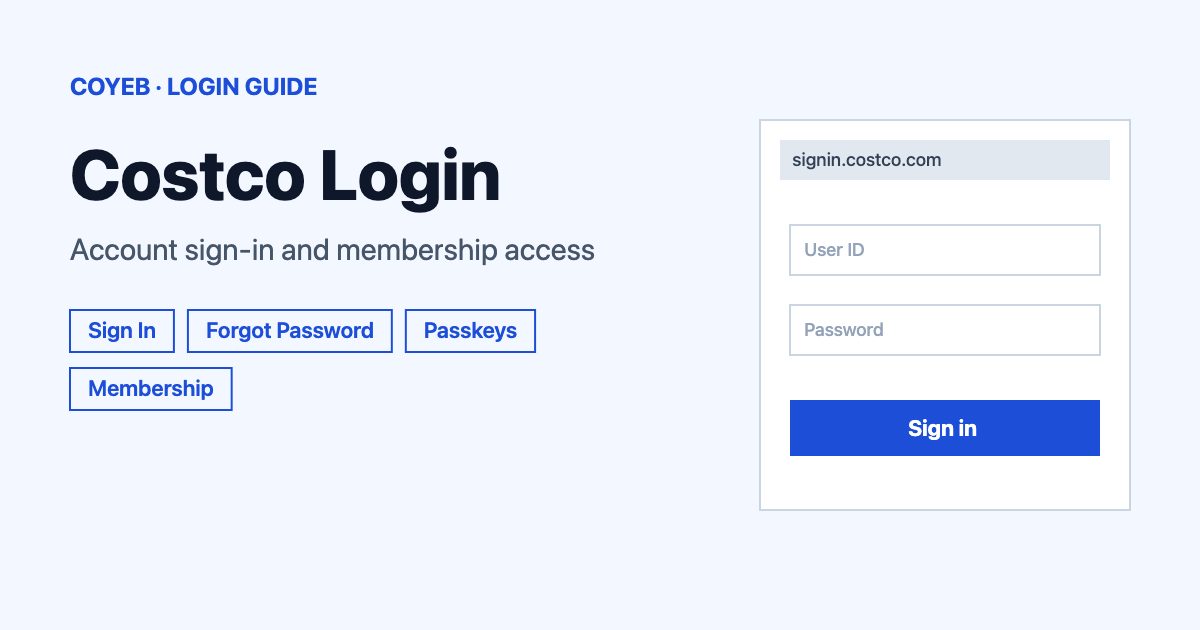
Costco login is at costco.com/LogonForm, which opens signin.costco.com. Type your Email Address and Password, then select Sign In. The catch: Costco login uses your email address, not your membership number. If you forget the password, select Forgot Password? and use the verification code.
Last verified: 17 November 2026
Official sign-in page: https://www.costco.com/LogonForm (it redirects to signin.costco.com). coyeb.com is not affiliated with Costco. Never share your password or verification code with anyone.
This guide covers the US site, costco.com. Costco’s Korea site (costco.co.kr) is a different website and works separately.
What you will see on the Costco login page
The page is titled Sign In and has these items:
- Email Address and Password fields
- Forgot Password? next to the password
- Keep me signed in tick box. Costco’s note says to check it only when on a private device, so leave it empty on a shared or work computer.
- Sign In button
- Two other ways in after the word “Or”: Receive a Passcode and Sign in with a passkey
- Create Account under “Need an account?” and Join Today! under “Not a Costco member?”
How to do a Costco login on costco.com
- Go to the Costco.com home page and select Sign In / Register in the upper right-hand corner.
- On the page titled Sign In, type your Email Address.
- Type your Password.
- Select Sign In.
New to Costco.com: create an account
Use Create Account under “Need an account?” at the bottom of the sign-in page. The first screen is titled Verify Your Email:
- Type your Email Address and select Send verification code.
- Type the Verification Code from the email and select Verify code.
- Select Continue.
If the code does not arrive, select Send new code. To correct the email address, select Change. Costco also lets you create a passkey during sign-up. If you are not a member at all, use the Join Today! link under “Not a Costco member?”.
Forgot your Costco login password
- On the sign-in page select Forgot Password?
- On the Password Reset page, type the email address of your account in Email Address and select Send Verification Code.
- Open the email from Costco and copy the code.
- Enter the code and select Verify Code.
- Enter a new password and select Update.
The reset expires after 15 minutes, so use the code soon after you ask for it. If nothing arrives, look in your spam folder.
If you are already signed in and just want a new password, open Account Details and select Edit next to the password. Costco sends a code to your email and you enter it before setting the new password.
Change your Costco sign-in email
- Sign in with your current email address and password.
- Go to Account Details. In the Sign In Information section select Edit next to Sign In Email.
- Enter your current email address and select Send Verification Code.
- Enter the code and select Verify Code.
- Enter your new email address and select Update. Use it the next time you sign in.
This changes the email used to sign in. It does not change where you receive offers and member benefits.
One thing to know before you lose access to an old email address. Costco says its agents cannot change a member’s sign-in email. If you can no longer open that inbox, you must register a new Costco.com account with an updated email.
Costco login with a passkey
A passkey lets you sign in with your fingerprint, face or device PIN instead of typing a password. You can set one up during account creation, at sign-in or in your account settings. On the website go to Account, then Account Details, then Manage Passkeys. In the app, go to Account in the bottom bar, then Settings, then Sign In & Security, then Passkeys. The same places let you view, add or delete a passkey.
Costco allows one passkey per browser and one shared across your mobile devices. SMS one-time passwords and push approval are not available when you create a passkey. After you create one, it becomes your default way to sign in, but your password still works.
If you lose the device that holds your passkey, remove the passkey from another device or from your online account. You can also sign in with your password and remove it there. If the passkey will not work or you do not see the option to create one, update your operating system and your browser or app. For fingerprint or face problems, check the biometric settings on your phone, retrain your fingerprint or face, or use your device PIN. More answers are on Costco’s passkey help page.
Costco login on the mobile app
The Costco app uses the same account as the website. To find your account there, open Menu, then Membership, then Account. The app may ask you to sign in first. To change your password in the app, open Account Details and select Edit next to Password.
To sign out on Android, open the side menu, scroll to Settings, then App Settings, then Sign Out. On iPhone, tap More, then App Settings and scroll down to the Sign Out button.
The digital membership card is not supported in Apple Wallet or Google Pay.
Costco login not working
Costco’s help pages do not list exact error messages for a failed sign-in. The fixes below are general suggestions based on the steps Costco does document.
| What you see | What it may mean | Fix |
|---|---|---|
| Password not accepted | Wrong email or password | Select Forgot Password? and reset it with the verification code. |
| Reset code stops working | The reset lasts 15 minutes | Request a new code and use it straight away. Check spam if the email is missing. |
| Cannot get into the email you signed up with | Agents cannot change a sign-in email | Register a new Costco.com account with an email you can open. |
| Membership verification fails | The answers did not match | Visit the membership counter at a warehouse with your membership card and photo ID. They email a link valid for 48 hours (check spam) to create a new password. |
| Passkey or fingerprint will not work | Device or software setting | Update your OS and browser or app, retrain the biometric or use your device PIN. |
| Renewed membership not showing | Status takes time to update | Allow 24 hours. |
After your Costco login
Verify your membership
Verification is a one-time step. On the website go to Account, then Account Details, add your membership number if it is missing and select Verify Membership. You answer a few questions that come from a third-party public records service and Costco only receives a pass or fail. Costco states that verification is not required to buy Member Only Items on Costco.com. Details are on Costco’s verification help page.
In the app, open Account Details, select the Verify Membership link under Membership Information and enter your membership number. Then enter your first name, last name and ZIP code before the questions. If you already verified on Costco.com you do not need to do it again in the app.
Change membership details and renew
To change details such as a phone number or address online, you must be the Primary Member or Account Manager and be verified. Open Account Details, select Edit next to the item and select Update.
To renew in the app, open Menu, then Membership, then Renewal, or use Account and Renew Membership. Executive Rewards estimates show in Account Details once you are signed in and verified and only the primary member sees them.
Stay safe when you sign in
Check that the address ends in costco.com before you type anything. The sign-in page itself sits on signin.costco.com. Check the spelling carefully instead of trusting a search result by its name alone.
Costco warns that its emails and messages never ask for your username, password or other personal information. Real emails come from a costco.com address. Do not share your password or a verification code with anyone.
Contact Costco about sign-in problems
- Costco.com online orders phone: 1-800-955-2292 (checked November 2026)
- Hours: Mon to Fri 5am to 8pm PT and Sat to Sun 5am to 7pm PT. Chat has the same hours (checked November 2026).
- Membership and warehouse phone: 1-800-774-2678 (checked November 2026)
- Hours: Mon to Fri 6am to 6pm PT and Sat to Sun 8am to 5pm PT. Chat runs Mon to Fri 6:30am to 5:30pm PT and Sat to Sun 8am to 5pm PT (checked November 2026).
- Holiday: both lines are closed on Thanksgiving, 26 November 2026 (checked November 2026).
- Help page: Costco Contact Us (checked November 2026)
- In person: the membership counter at your local warehouse can help with a failed verification.