Fino Login: Payments Bank Net Banking and App Access
Fino login for Net Banking: the official address, Customer ID and MPIN reset in the FinoPay app, OTP and Re-KYC help, safety tips and helpline numbers.
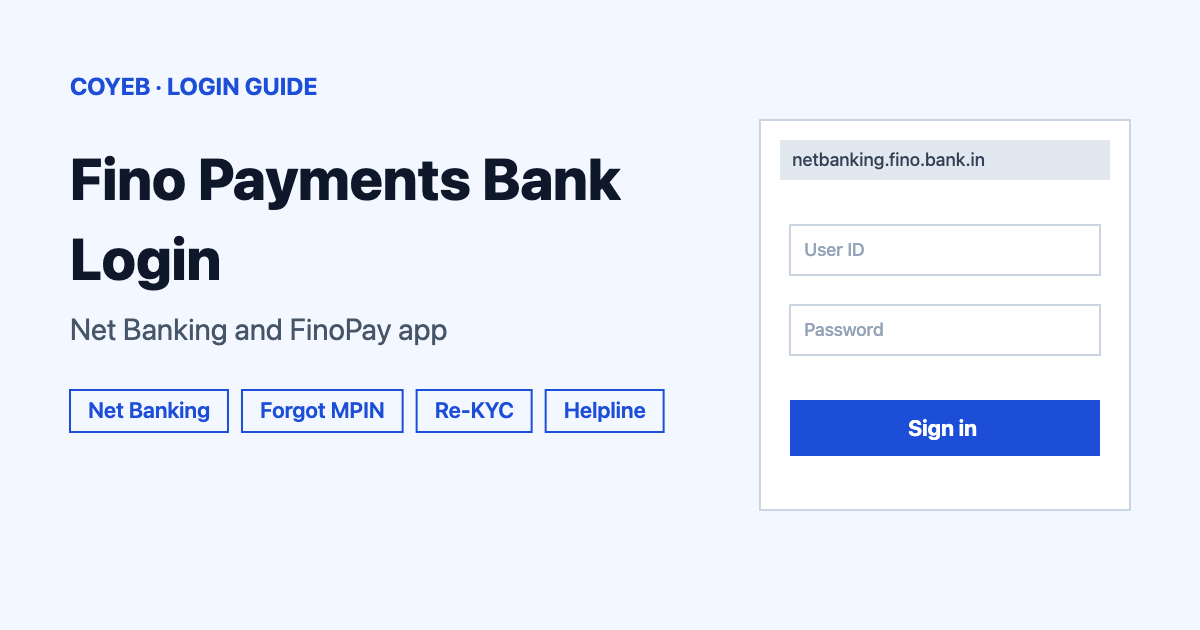
A Fino login for Net Banking starts at netbanking.fino.bank.in, the official address of Fino Payments Bank. If you lose your ID, choose Forgot Customer ID. The catch: the session ends after 5 idle minutes. The MPIN you set in the FinoPay app also works for Net Banking.
Last verified: 17 November 2026
Official Net Banking address: https://netbanking.fino.bank.in/ (checked November 2026). This is where the “Login” menu on fino.bank.in sends you when you pick “Net Banking”.
coyeb.com is not affiliated with Fino Payments Bank. Never share your password or OTP with anyone.
Fino login for Net Banking customers
Net Banking is for all customers with an active savings or current account. On fino.bank.in, the “Login” menu at the top of the page has one option, “Net Banking”, so that is the one to look for.
- Type netbanking.fino.bank.in into your browser address bar.
- Check that the address is exactly right before you enter anything.
- Sign in with the details you set up when you registered. The MPIN from the FinoPay app works here too.
- If Fino sends an OTP, enter it. The OTP is a four-digit numeric code sent to your registered mobile number.
Your Net Banking session closes by itself after 5 minutes of no activity, so you will need to sign in again if you leave the screen idle.
First time on Fino Net Banking
You can register for Net Banking online with your Debit Card or Aadhaar. The OTP goes to your registered mobile number.
If you do not have a Fino account yet, you can open one in the FinoPay app or through the Fino website. A savings account can be opened with your Aadhaar number and a mobile number linked to Aadhaar. When the account is opened through the assisted route with Aadhaar biometric authentication, a PAN card or Form 60 is also needed. Joint accounts are not available.
Forgot Customer ID
If you forget your Customer ID or CIF, choose Forgot Customer ID and follow the steps.
Forgot MPIN
Download the FinoPay app from Google Play or the App Store and choose Forgot MPIN. You can use the same MPIN to log in to Net Banking.
If you do not remember the colour and image you set during registration:
- On the login page choose Forgot MPIN.
- On the next screen choose Forgot your security question.
- Answer the verification questions and set your colour and security image.
Fino lists no separate password reset for Net Banking. For anything else you can call customer care.
Change your mobile number or email
Because the OTP goes to your registered mobile number, keep it up to date. To change your mobile number, visit your nearest Fino Payments Bank branch. To update your email ID, use the FinoPay app or visit the nearest Fino Point.
Account frozen until Re-KYC
Fino freezes an account (Total Freeze) until Re-KYC is completed. Fino sends an SMS to your registered mobile number before the due date. Re-KYC is free. You can complete it in three ways:
- FinoPay app: log in and complete Re-KYC with Aadhaar OTP authentication.
- Branch: visit your nearest Fino branch for Aadhaar biometric verification.
- Fino Point: visit your nearest Fino Point for Aadhaar biometric verification.
If you completed Re-KYC but still get the letter, call customer care so they can confirm your KYC status.
Inactive or inoperative account
An account becomes inactive after 1 year without a customer-initiated transaction and inoperative after 2 years. To reactivate an inactive account, make a transaction through an ATM or Internet Banking or visit the nearest Fino Point. For an inoperative account, log in to the FinoPay app, open Your profile (top left) and choose Re-KYC through V-KYC. This works on Android only. You can also visit a branch or a Fino Merchant Point.
Fino login on mobile
Account holders can use the official FinoPay app. On a phone browser you can also go to the same Net Banking address.
- Android: FinoPay on Google Play
- iPhone: FinoPay on the App Store
Fino login not working
Fino has no published list of error messages for Net Banking apart from “Session Time Out”. The fixes below are general suggestions based on the bank’s help pages.
| What you see | What it means | Fix |
|---|---|---|
| No OTP arrives | Your mobile number may not be registered or the phone has no network | Confirm that your number is registered with the bank and that your phone can receive SMS. |
| “Session Time Out” | The session closed after 5 idle minutes | Log in again. |
| Cannot remember Customer ID | You need your Customer ID or CIF | Use Forgot Customer ID. |
| Cannot remember MPIN | The same MPIN works in the app and in Net Banking | Use Forgot MPIN in the FinoPay app. |
| Account frozen | Re-KYC is pending | Complete Re-KYC as described above. |
Merchants and partners
This guide covers customer Net Banking and the FinoPay app. To become a Fino merchant, use the registration form on the Fino website. The merchant helpdesk numbers are listed under the helpline below.
After you log in
In the FinoPay app Fino lists these tasks:
- Set or change your debit card PIN: choose your account variant and then Your Card and Set debit card PIN. Enter the card CVV and expiry date. Set the PIN and pick the colour and image you chose at registration. If the option is missing, update the FinoPay app and check again.
- Upgrade your account: choose Upgrade Account in the app. A minimum KYC account opened with Aadhaar OTP and PAN must be upgraded within 360 days or it closes automatically.
- Change your name or communication address: use the app or visit the nearest Fino Point with the supporting documents.
It also helps to log out when you finish, especially on a shared phone.
Stay safe on every Fino login
- Never click links in emails to reach the bank login page.
- Never fill in personal information on a pop-up.
- Never reply to an email asking for passwords or PINs.
- Never give a PIN on an unsolicited phone call.
- Use the official mobile banking app and update it when a new version is available.
To report fraud, Fino lists a 24/7 toll-free line at 1800 268 3930 and the email reportfraud@fino.bank.in. To block a card or account, send an SMS with CARDBLOCK to 70220 75566. To apply a debit freeze, send an SMS with FRAUD to the same number. The national cyber crime number is 1930 (checked November 2026).
Fino helpline
- Customer helpdesk: 022-6868 1414, 9 AM to 7 PM (checked November 2026)
- General queries and disputes: 1800 268 1000, 9 AM to 7 PM, every day of the year (checked November 2026)
- Merchant helpdesk: 1800 268 1000, 8 AM to 8 PM (checked November 2026)
- Email: customercare@fino.bank.in (merchants: care@fino.bank.in) (checked November 2026)
- WhatsApp: 86570 08036, send “Hi” (checked November 2026)
- Main phone line: +91-22-7104 7000 (checked November 2026)
- Help page: fino.bank.in contact page (checked November 2026)
If customer care does not reply within 15 days, you can email nodalofficer@fino.bank.in.
Another Indian bank login guide: Axis Bank Login: First Time, OTP and Reset.