GST Admission Login: Bangladesh University Cluster Portal
GST admission login steps for gstadmission.ac.bd: use the Applicant ID and password from SMS or recover them with your HSC roll, board and year.
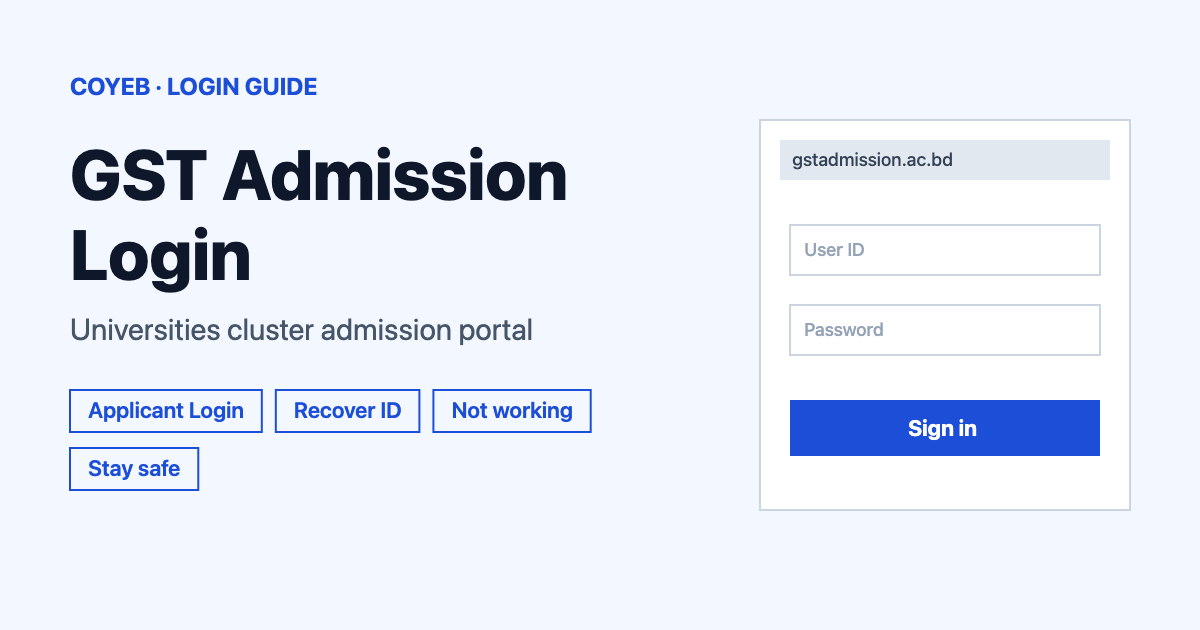
To use the GST admission login, open gstadmission.ac.bd and click Student Login. On the Applicant Login form, type the Applicant ID and Password that came to you by SMS, then click Login. If you lost either one, use the Recover Applicant ID/Password link on the same page.
Last verified: 18 November 2026
Official login page: https://gstadmission.ac.bd/login-with-id (checked November 2026)
coyeb.com is not affiliated with GST or any of its universities. Never share your password or OTP with anyone.
What the GST admission portal is
The official site is titled “GST – Universities Integrated Admission System 2025-26”. GST stands for General, Science & Technology, the cluster of Bangladesh universities whose admission runs through this one integrated system. The site runs only under the gstadmission.ac.bd address.
One notice matters before you try to sign in. The home page says the central admission process for the 2025-26 session has been completed. It adds that if seats stay empty, each university runs the remaining admission through its own arrangements, with details on that university’s own website. So the login on this site is for applicants who already have an account from the central round. It is not a place to start a new application.
How to do the GST admission login
- Open gstadmission.ac.bd in your browser.
- Click the Student Login button on the home page. It takes you to the page headed Application / Login.
- Find the form named Applicant Login.
- Type your ID in the Applicant ID field.
- Type your password in the Password field. The characters stay masked while you type.
- Click Login. A Back button sits next to it.
The login page tells applicants to use the Applicant ID and Password they already received by SMS. Keep that message handy. No CAPTCHA, OTP step or user-type choice appeared on the login form when it was checked in November 2026.
The home page calls the button Student Login while the form itself says Applicant Login. Both names lead to the same place.
Forgot Applicant ID or password
On the login page, click the Recover Applicant ID/Password link. The recovery page is titled Applicant ID / Password Recovery and asks for three details from your HSC or equivalent exam:
- HSC/Equiv. Roll: type your roll number.
- HSC/Equiv. Board: choose your board from the list. The options are Barisal, Chittagong, Comilla, Dhaka, Dinajpur, Jessore, Rajshahi, Mymensingh, Sylhet, Madrasah, Technical-Vocational/BM/DCOM, GCE and Others.
- HSC/Equiv. Passing Year: choose the year. The list offers only 2025 and 2024.
Then click Submit. The recovery form can also be opened directly at gstadmission.ac.bd/password-recovery. There is no email field on this form. What appears after you submit was not checked, so follow whatever the page shows you.
If your HSC or equivalent exam was in a year other than 2025 or 2024, the recovery form has no matching choice. You can check your university’s own admission notice instead.
Searches for a 2021 or 2021-22 GST admission login point to past sessions. The site now shows the 2025-26 session, so older guides and links no longer match what you see.
Login on mobile
No official mobile app was mentioned on the pages checked in November 2026. You can open the same address in the browser on your phone and follow the same steps. If the page loads slowly, you can wait a moment before tapping Login again.
GST admission login not working
The official pages do not list error messages for this login, so the table below holds general suggestions rather than quoted system messages.
| What you see | What it may mean | Fix |
|---|---|---|
| The login is rejected | The Applicant ID or Password may be mistyped | Copy both from the SMS carefully. Check for extra spaces and for letter case. |
| You cannot find the SMS | The message may be buried among other texts | Search your phone messages for the ID and password. If it is gone, use Recover Applicant ID/Password. |
| Recovery does not accept your details | The roll, board or passing year may not match what you entered in the application | Check your HSC or equivalent admit card or mark sheet for the exact roll and board. Remember that only 2025 and 2024 are offered. |
| The page is slow or will not load | The site may be busy or under maintenance | Try again later, since a busy site often recovers after a while. |
| The site looks different from gstadmission.ac.bd | It may not be the official site | Close it and type the official address yourself. |
After you log in
The official pages read in November 2026 do not describe what sits inside the applicant account after sign-in. For that reason this guide does not list its menus or buttons. For anything about seats or the next step, follow the notices on gstadmission.ac.bd and the website of the university you applied to.
The site menu also has Application, Admission Guideline, Photo Guideline, GST Prospectus and GST Universities pages. The Admission Guideline page links to a PDF marked as updated on 5 June 2026. The Important Dates panel on the site lists Unit C (Commerce) on 27 March 2026, Unit B (Humanities) on 3 April 2026 and Unit A (Science) on 10 April 2026, plus an Architecture practical (drawing) on 10 April 2026. Dates can change, so check the panel on the site itself.
Many students use other university portals too. If you also need a student sign-in for a different institution, see the Brainware University login or the Exxat login guides.
Stay safe on the GST admission site
- The only official address is gstadmission.ac.bd. Check that the domain ends in .ac.bd before you type anything.
- Your Applicant ID and Password come to you by SMS. Never pass them to an agent or a stranger who offers to handle your admission.
- Remaining seats are handled by each university on its own website, so any sign-in request outside the official sites deserves a second look.
- If a message or website asks for money to unlock your account, it is safer not to respond. You can report it to your university’s admission office.
Helpline
No helpline number or support hours were shown on the official pages checked in November 2026. For help with your application, contact the admission office of the university you applied to through its own website.