NABL Login: Accreditation Portal for Laboratories
NABL login for laboratories: new portal, old portal and M(EL)T site, forgot password, registration, blocked accounts and support numbers, checked November 2026.
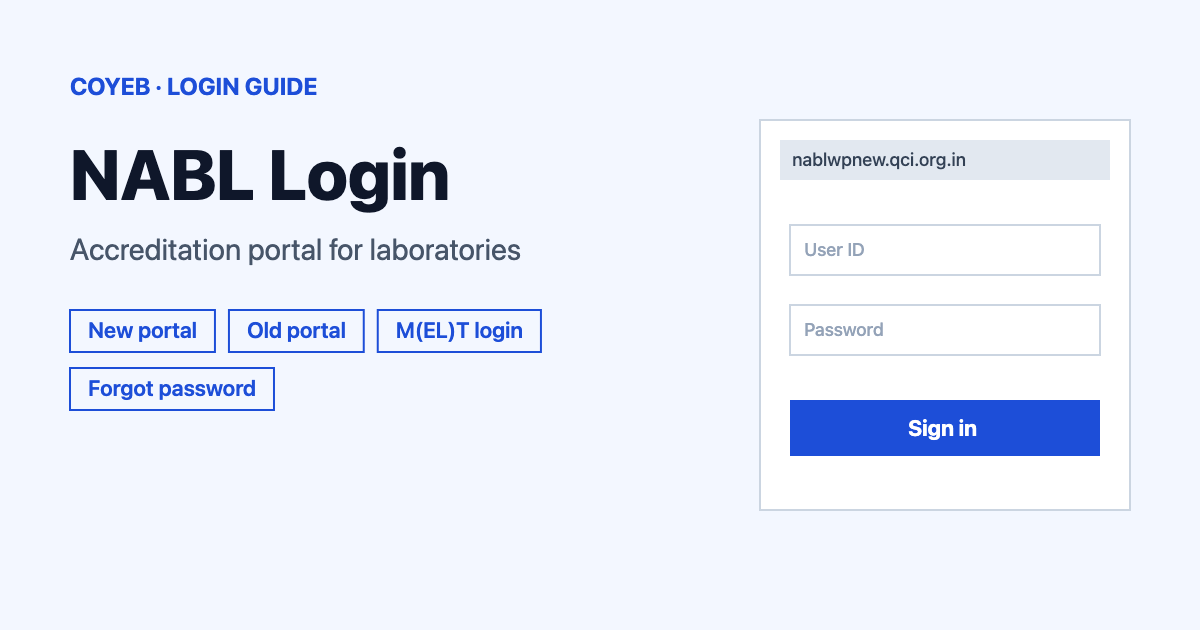
The NABL login for laboratories is at nablwpnew.qci.org.in/main/login. Type your Username and Password, let the Cloudflare check finish and press Sign In to Portal. The catch: labs with an old portal account and labs in the M(EL)T program sign in on different official addresses, covered below.
Last verified: 17 November 2026
Official NABL Portal login: https://nablwpnew.qci.org.in/main/login (checked November 2026)
coyeb.com is not affiliated with NABL or the Quality Council of India. Never share your password or OTP with anyone.
Which NABL login do you need
NABL, the National Accreditation Board for Testing and Calibration Laboratories, runs three separate sign-in pages. Pick the one that matches where your lab has its account.
| You are | Where to sign in | What you type |
|---|---|---|
| A lab using the new NABL Portal (new application or existing lab) | nablwpnew.qci.org.in/main/login | Username and Password, then the Cloudflare check |
| A lab with an account on the old portal | nablwp.qci.org.in/home/login | User Name, Password and the captcha code |
| A lab in the Medical Entry Level Testing (M(EL)T) program | nablmelt.qci.org.in/Laboratory/login.php | Username, Password and the code from the picture |
For a new lab or a fresh application, the new portal is the one to use. Labs that already hold an old portal login can move across without starting from zero, as explained below.
What you will see on the new NABL login page
The page is headed “NABL Portal” with the welcome line “Please sign in to access your dashboard”. It has a Username field and a Password field with the Sign In to Portal button. At the top are the “Back to Home” and “Register” buttons. Under “Need Help?” you find the links Forgot Password? and Create Account.
How to log in on the new NABL Portal
- Open https://nablwpnew.qci.org.in/main/login.
- Type your registered Username.
- Type your Password.
- Let the Cloudflare check finish.
- Press Sign In to Portal.
How to log in on the old NABL portal
- Open https://nablwp.qci.org.in/home/login.
- Type your User Name and Password.
- Type the code in the Enter Captcha box.
- Press Log in.
The page also has Forgot Password and a Register link marked “Register if you don’t have an account”.
How to log in to the M(EL)T program site
- Open https://nablmelt.qci.org.in/Laboratory/login.php. The page is titled “NABL Medical Entry Level Testing M(EL)T Labs Program”.
- In the “Sign In” box type your username in Enter Username and your password in Enter Password.
- Type the code from the picture into Enter the above code here :. If the picture is unreadable use the “Can’t read the image? click here to refresh.” link to get a new one.
- Press Login.
The same page has “New laboratory register now”, “Forgot password?”, “User Manual” and an “Assessor Login” link.
First-time login: register your laboratory
A lab with no account presses Register or Create Account on the new portal. The page is titled “Laboratory Registration” and has four steps: Basic Details, Contact Information, OTP Verification and Complete Registration. The first section, “Laboratory Information”, asks for:
- Laboratory Name
- Laboratory Type
- Address Line 1
- Address Line 2 (Optional)
- State
- City
- Pincode
Press Next to move on. Anyone who already has an account can use “Already have an account? Login here” to go back.
Each program on the home page (Testing & Calibration Labs (ISO/IEC 17025, Medical ISO 15189, PTP, RMP), PPP / FF Arrangements, Soil Testing Laboratory, Water Testing (G-LAP), Product Based Accreditation, Medical Entry Level Testing and COVID-19 Testing) has its own Login and Register buttons. Start from the home page rather than a direct address such as nablglap.qci.org.in/login, which did not open on 15 November 2026.
Old portal account holders: moving to the new portal
On the registration page, answer Yes to “Do you have accreditation login on the NABL old portal?” and sign in with your old Username and Password. The system then retrieves your Username, Laboratory ID and Certificate Number. After that you fill in the application form again because the process was redesigned. NABL calls this re-submission a one-time activity required for migration to the new NABL system.
M(EL)T program: register and submit the application
This voluntary program is for medical testing labs doing basic tests. It is not open to a laboratory in a medical college, a medical laboratory run by a corporate group legal entity or a laboratory in a hospital with 50 or more beds. Before you apply the lab must have taken part in a proficiency testing (PT) program run by a PT provider accredited to ISO/IEC 17043. The application has to be submitted from the laboratory premises because the premises and equipment are geo-tagged.
Keep scanned copies ready of the lab’s legal identity, the PT participation report for the scope you apply for and the calibration report or AMC record of the equipment. Then follow these steps:
- On the M(EL)T site press “New laboratory register now”. Fill in the laboratory details, the scope for recognition and the PT participation details. A Login ID and Password are generated.
- Upload the documents on the website.
- On an Android phone install the “NABL M(EL)T Labs Program” app from the Play Store. Sign in with the Login ID and Password. The app has to be installed on the phone number used for registration.
- In the app take pictures of the lab location and of the equipment listed in your documents. Enter the other information it asks for and save.
- Back on the website open your account and enter the mobile number used in the app. The information from the app appears in the lab account.
- Check the preview of the application and press the submit button. An automatic reply goes to the registered email and phone number.
The recognition fee is ₹15,000 for three years and is payable before the certificate is issued. Surveillance charges are paid through the portal after assessment on an actual basis. GST at 18% is added to both.
Forgot your NABL login password
On the new portal select Forgot Password? under “Need Help?”. The page “Reset your NABL Portal password” has two steps: Enter Details and Verify OTP. In the first step fill in:
- Username
- Email Address (the registered email address)
- Mobile Number (a 10-digit Indian mobile number with the +91 prefix already shown)
Press Send OTP and enter the OTP in the second step. If you remember the password after all, “Remember your password?” and Back to Login take you back to the sign-in page.
On the old portal use Forgot Password on its login page. The page “Forgot Password.” asks for Enter UserName, Enter Email and Enter Mobile No.
On the M(EL)T site use “Forgot password?”. The page “Forgot Password?” says “You can reset your password here.” Type your username in Enter user name and press Reset Password.
Blocked or cancelled laboratory accounts
A notice on the new portal home page says the logins of laboratories that registered but never filled in more than the basic details, that have multiple registrations with the same details or that were inactive for a long time were cancelled or blocked from 1 December 2018. Such a laboratory has to register afresh.
Login on mobile
The new portal and the old portal are websites and open in a phone browser. Only the M(EL)T program has an app. It is the “NABL M(EL)T Labs Program” app on the Play Store and it works only when installed on the phone number used for registration.
NABL login not working
These are general suggestions, not official error messages.
| What you see | What it may mean | Fix |
|---|---|---|
| Username or password is rejected | You may be on the wrong portal. Old portal and new portal accounts are separate. | Check the address first. Old accounts go through the “Yes” migration question on the new registration page. |
| Sign In to Portal does nothing | The Cloudflare check may not have loaded. | Reload the page and wait for the check to finish. Try another browser or turn off an extension that blocks scripts. |
| Password reset will not continue | The form needs the Username, the registered Email Address and a 10-digit Indian mobile number. | Use the exact details given at registration. Write to supportwp@nabl.qcin.org if they have changed. |
| The picture code is unreadable on the old portal or the M(EL)T site | The code did not display clearly. | Use the refresh link on the M(EL)T page or reload the old portal page. |
| A direct G-LAP address does not open | The address nablglap.qci.org.in/login did not open on 15 November 2026. | Start from the NABL Portal home page. |
After you log in
The new portal is where labs submit the online application and pay the assessment charges. Testing and calibration laboratories can apply only as per ISO/IEC 17025:2017 and NABL accepts no hard copy of applications.
The old portal login page has a “Help Manual” section with PDF manuals for Testing Laboratories, Calibration Laboratories, Medical Laboratories and Proficiency Testing Providers. The M(EL)T site has a “User Manual” link.
Stay safe
Official NABL portal addresses end in qci.org.in (nablwpnew.qci.org.in, nablwp.qci.org.in and nablmelt.qci.org.in). The board’s own information site is nabl-india.org. Check the address bar before you type a password and treat any message that asks for your password or OTP as suspicious.
NABL helpline and support
- Office phone: +91-11-40032400 or 011-40050500, Monday to Friday, 09:00 AM to 05:30 PM (checked November 2026)
- Office email: info@nabl.qcin.org (checked November 2026)
- Portal support email: supportwp@nabl.qcin.org (checked November 2026)
- Portal phone for medical applications: 011-40032401 or 011-40032402 (checked November 2026)
- Portal phone for calibration applications: 011-40032483 or 011-40050505 (checked November 2026)
- Portal phone for testing applications: 011-40032425 or 011-40032492 or 011-40032497 (checked November 2026)
- M(EL)T site email: nablmelt@nabl.qcin.org (checked November 2026)
- M(EL)T site phone: 011 4003 2452 or 011 4003 2432 or 011 4003 2457 or 011 4003 2548 or 011 4003 2555 (checked November 2026)
- Help page: nabl-india.org/contact-us. Its contact form asks for a Lab ID that starts with “T-” (checked November 2026)