WBUHS Login: Student Portal Access
WBUHS login steps for the Charaka student portal: official address, Username and Password fields, forgot password reset and where to check results.
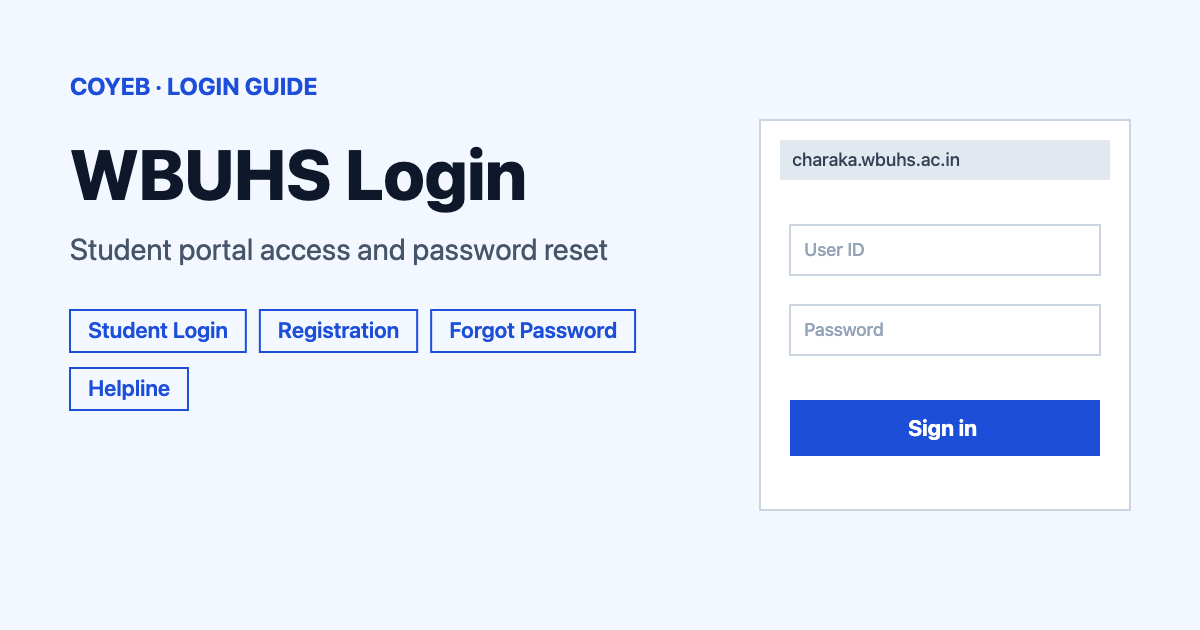
For the WBUHS login, open charaka.wbuhs.ac.in/home/loginUi?t=3 on the Charaka portal, type your Username and Password, then tap Login. New students use Create an account first. If the password is lost, use Forgot password? and a new one is sent to your registered email or mobile number.
Last verified: 18 November 2026
Official student login: https://charaka.wbuhs.ac.in/home/loginUi?t=3 (checked November 2026)
coyeb.com is not affiliated with the West Bengal University of Health Sciences. Never share your password or OTP with anyone.
How to do the WBUHS login as a student
The university runs its student services through the Charaka portal. The main website at wbuhs.ac.in has a “Student / Faculty / Institution Login” menu item that leads there. The Charaka home page then shows five separate links: University Login, Student Login, Supervisor Login, College Login and Faculty Login. Students pick Student Login. The same page serves every course, so an MBBS student and a B.D.S. student sign in the same way.
- Open https://charaka.wbuhs.ac.in/home/loginUi?t=3 in your browser. Check that the address starts with charaka.wbuhs.ac.in before typing anything.
- Under the heading Student Login, type your Username.
- Type your Password.
- Press the green Login button. No CAPTCHA box showed on the form in November 2026.
The page also offers an I need help ? link that opens a help video and a Go to Home link that returns to the five-link home page. The label on the first box is simply Username. It does not ask for a registration number on this screen. The registration number belongs to the registration and result pages described below.
First-time WBUHS login and registration
If you have no account yet, press Create an account under the login form. It opens a Registration page that lists the courses taking applications at that moment with an “Application starts on” and an “Application ends on” date. In November 2026 the list included Bachelor of Naturopathy and Yogic Sciences (6 November to 5 December 2026) and M. Phil and Fellowship courses (13 November to 12 December 2026). Dates change often so check the live page.
The page has two links for people who have been with the university before:
- Already Registered with WBUHS Online ? asks for your Registration No: and then a Next button.
- New Registration with WBUHS / Already registered with WBUHS Offline ? is for new candidates and for people registered on paper.
The Registration No must be a 9 or 12 digit number with no spaces and no special characters. The page gives two sample boxes with different formats. Type the number in the box that matches its length. The official example shows how a number such as 3590 of 2015-2016 is written as 359020152016.
The Online Registration Criteria link at the bottom of the login page opens a PDF with the soft copies needed. The photograph should be a JPG of 20 to 50 KB and the signature a JPG of 10 to 40 KB. Most other documents are PDF files between 40 KB and 1 MB. The list covers items such as age proof and mark sheets. A caste certificate is not needed for General candidates.
Forgot WBUHS login password
- On the Student Login page press Forgot password?
- On the Forgot Password page choose Email or Mobile No.
- Type the registered email address or mobile number in the box.
- Press Send new password.
The page says your password will be reset and emailed or sent by SMS. So the portal sends a new password rather than a reset link. Use the email address or mobile number you registered with.
WBUHS login on mobile
The official pages checked in November 2026 do not point to a WBUHS student app. On a phone the portal opens in the mobile browser. The steps are the same as above. Type the address yourself instead of using a search result so you land on the real charaka.wbuhs.ac.in page.
WBUHS login not working
No official page lists login error messages for the Student Login screen. The one on-screen message confirmed on the registration page is in the first row. The other rows are general suggestions rather than official texts.
| What you see | What it means | Fix |
|---|---|---|
| “Type in the proper textbox as per the matched format of your Registration No. !” | The registration number was typed in the box meant for the other format | Use the 9 or 12 digit number with no spaces or symbols and place it in the box that matches its length |
| Login rejected with the right Password | You may be on the wrong portal | The dissertation portal asks for a User Email while the Charaka portal asks for a Username. Use the one that matches the portal you opened |
| Page will not load or shows a security warning | The address may be mistyped or an older http link was used | Type https://charaka.wbuhs.ac.in/home/loginUi?t=3 again from the start |
| Password not accepted | The password may have been forgotten or changed | Use Forgot password? and wait for the new password by email or SMS |
| College staff cannot sign in with a personal account | College Login uses the same user ID and password that WBUHS provided to the college | Use the College Login link and the details WBUHS gave the college |
Other WBUHS logins
The Charaka home page has separate logins for other user types. The College Login page says colleges should sign in with the same user ID and password provided to them by WBUHS and it shows no forgot-password link. The Faculty Login page has both Forgot password and Create an account. The main site does not show a separate examiner login. The Supervisor and University Login links are on the Charaka home page.
Thesis and dissertation work runs on a separate site. The Student Login there is at https://sdm.wbuhs.ac.in/login and it uses a User Email box and a Password box before the Login button. It has its own Forgot Password? link and a Register item in the menu. Its page says students submit their dissertation or presentation after logging in and that a fee of Rs. 2000 must be paid online. The dissertation is accepted only after a successful payment. Adjudicators have a separate sign-in at /admin/login on the same site.
After you log in
An account was not opened for this guide so only the tasks the university documents are listed here.
Get a provisional marks statement
- Sign in on the Student Login page with your Username and Password.
- Download the Provisional Marks Statement for your exam from your account.
The Result Status page states that a candidate must log in with the User ID and Password to download this statement.
Apply for a course that is open
- Open Create an account for a new candidate or use Already Registered with WBUHS Online ? for an existing registration number.
- Check the application start and end dates beside your course.
- Keep the photograph and signature files within the sizes in the Online Registration Criteria PDF.
Submit a dissertation
- Register or sign in on the separate dissertation portal.
- Pay the Rs. 2000 fee online.
- Submit the dissertation after the payment goes through.
Check a WBUHS result without logging in
Results do not need the student login. The official Result Status page asks you to select the exam and then enter your Registration No and Roll No before you press Show Result. The same page is linked from Examination and then Result on wbuhs.ac.in. The list of exams changes with each result. In November 2026 it included 3rd Professional B.D.S. (August 2026) and 2nd B.H.M.S. (September 2026) along with Pharm. D. 1st Year and MD/MS exams. No MBBS 1st year entry appeared in the list on 18 November 2026. If your exam is not in the list you can try again later. Check the Examination menu on wbuhs.ac.in for newer notices.
The Provisional Marks Statement is the one item that does need the student login. Colleges can view results through their own College Login.
For a related university sign-in guide see the Brainware University login guide.
Stay safe on the WBUHS portal
- The official addresses are wbuhs.ac.in for the main site and charaka.wbuhs.ac.in for the Charaka portal. The dissertation site is sdm.wbuhs.ac.in.
- Older news articles have shown the portal address without the dot after charaka. That version is not the official address.
- The Forgot Password page sends a new password to your registered email or mobile number. Do not share it with anyone who calls or messages you.
- Type the web address yourself instead of following links from unknown messages.
WBUHS helpline
- Registration issues: 8336911464. The Contact Us page gives the hours as Monday to Friday from 10:30 A.M. to 05:30 P.M. and Saturday from 10:30 A.M. to 2 P.M. The main site lists the same number with asst.registrar@wbuhs.ac.in for registration issues.
- Form fill-up or examination queries: 6289231742 (10 AM to 5:30 PM on the main site).
- General: 033 2334 2028 or info@wbuhs.ac.in.
- Address: DD Block, Sector-1, Salt Lake City, Kolkata, West Bengal 700064.
Numbers and hours checked November 2026.